Gmail Failed to Connect Account - Missing "All Mail" folder
Last updated: May 17, 2025
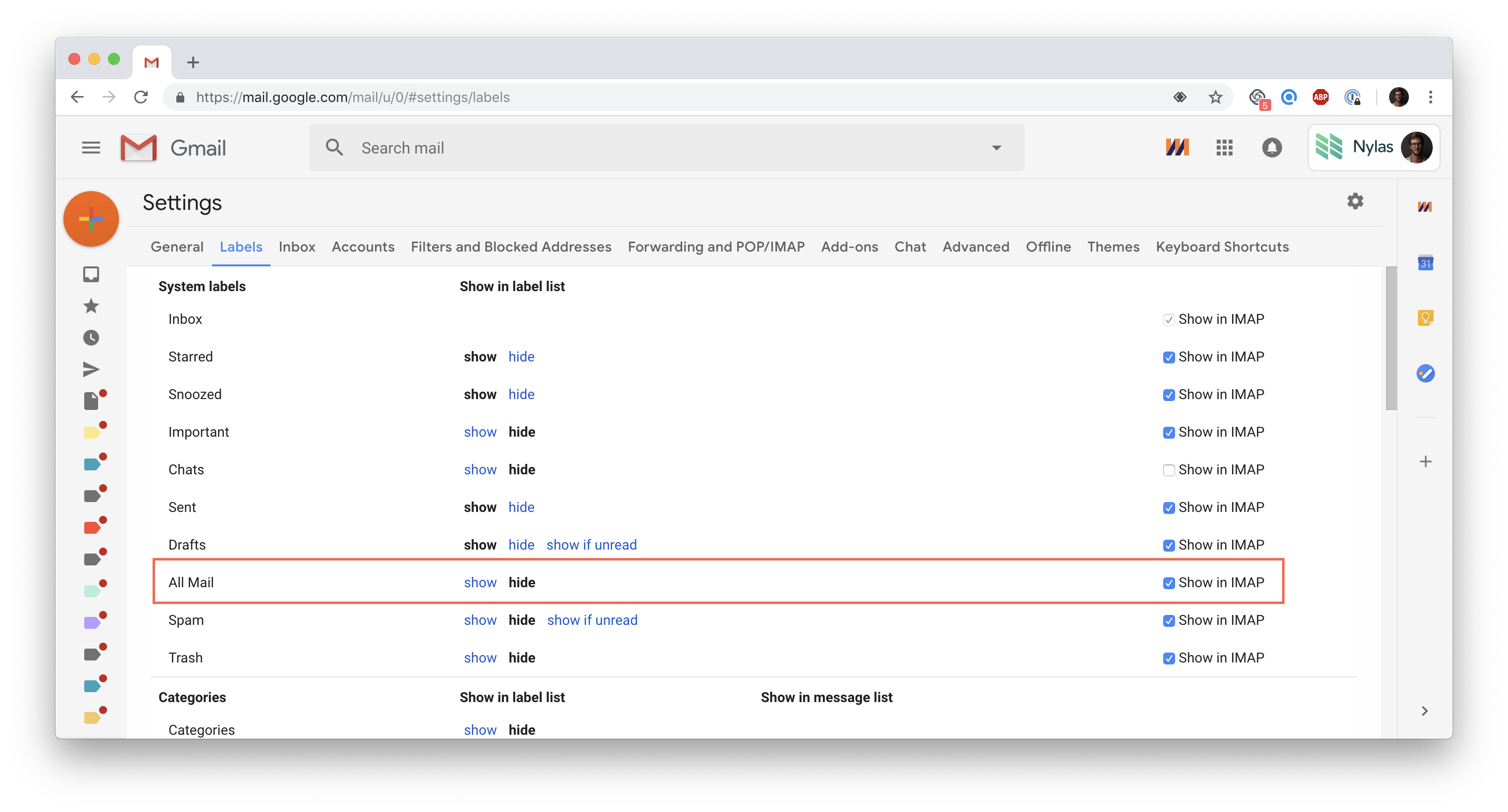
Error message: "We could not connect with your Gmail account because the account is missing the 'All Mail' folder. This is probably due to 'Show in IMAP' being disabled. Please enable it and try again."
Explanation: Your Gmail account doesn't have an "All Mail" folder, preventing our email provider (Nylas) from synchronizing your messages. Thankfully, it's easy to enable it!
To do it, you'll just need to sign in to Gmail from a web browser, go to Settings / Labels and check "Show in IMAP" next to "All Mail."