Move leads between lists
Last updated: November 13, 2026
You can move leads from one list to another. This is useful when you want to split a large list, regroup leads for a new campaign, or clean up a list without re-uploading anything.
Moving or copying leads does not use credits and does not enrich your leads again. The data you already have is carried over as it is.
How to move or copy leads
Open the list that contains the leads
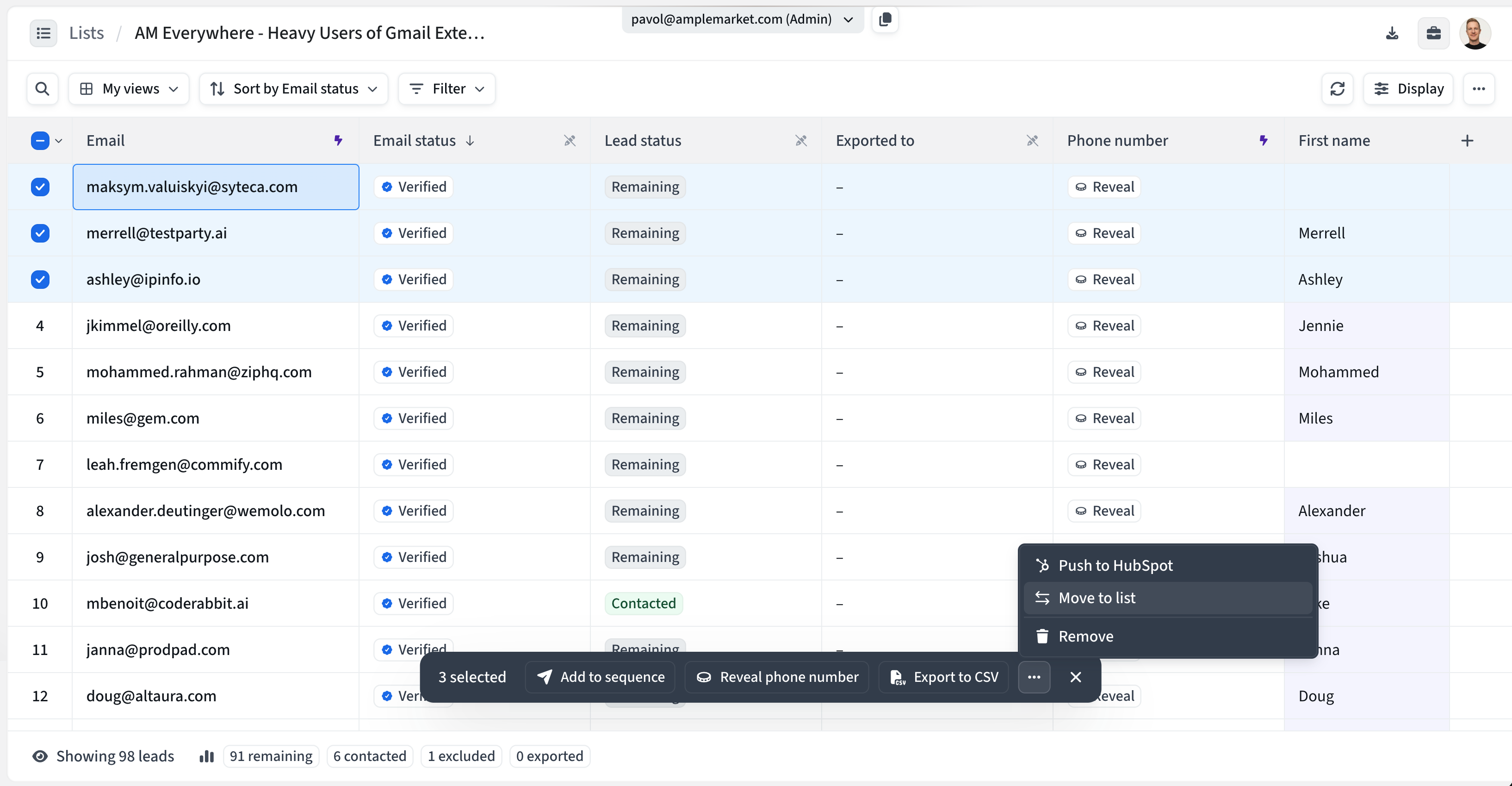
Select the leads you want to move. You can select one lead, several, or all of them
In the action bar that appears at the bottom, open the more actions (⋯) menu and choose Move to list
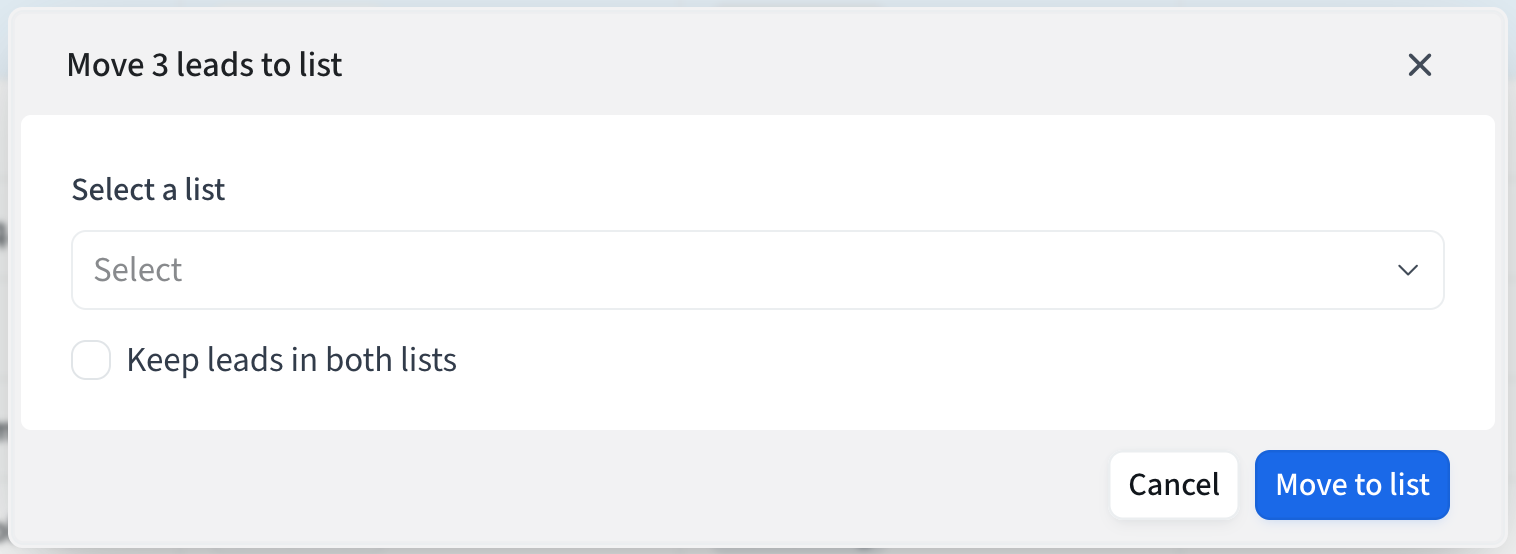
Under Select a list, choose an existing list, or type a name to create a new one
Decide whether to keep the leads in the original list:
Leave Keep leads in both lists unticked to move them. They are removed from the original list.
Tick Keep leads in both lists to copy them. They stay in the original list as well.
Click Move to list (or Copy to list if you ticked the checkbox)
When it finishes, you will see a confirmation with a View List link to the destination list. Your choice for Keep leads in both lists is remembered the next time you open the window on the same browser.
Good to know: you can't move leads into the list they are already in. To create a new list from this window, you need permission to create lists.
What comes with the leads
Lead data and custom columns
Your columns are recreated in the destination list, with their values
Emails and email status
Emails and their verification status are kept
No emails are validated or enriched again
Rows you added by hand
They stay as they are, so you can still enrich them in the destination list
Exclusions
Your exclusion list applies to your whole account, so leads that are excluded stay excluded in the destination list
What does not come with the leads
Contacted status
Leads that were marked as contacted are reset to Remaining in the new list
Exported status
The fact that a lead was exported does not carry over
How duplicates are detected
A lead is skipped when the destination list already has the same lead. We treat it as the same lead if any of these match:
Same email address
Emails are compared without regard to upper or lower case
Same person
If both leads are linked to the same person in Amplemarket’s database, for example because they came from the Searcher, they count as one lead even if the email differs
Same identifying details
This depends on how the lead was originally added: a LinkedIn URL for leads added by LinkedIn, name and company, or title and company for leads uploaded that way, and the record ID for leads imported from HubSpot or Salesforce
If you select the same lead twice (for example two rows that match each other), only one copy is moved. Leads you added by hand with no email can’t be matched, so they are always copied.
If you move leads that already exist in the destination list, they are removed from the original list, and the existing lead in the destination list is left exactly as it was. It is not overwritten, so its contacted status and data don’t change.
Special cases
Leads that are still being enriched or verified
They are moved or copied once they finish, so they arrive with their results. You will see a message saying so.
Large selections
Big moves run in the background. You will see a “Moving” or “Copying” message, and the leads appear in the destination list shortly after.
List size limit
A list can hold up to 60,000 leads. If the move would go over that, it won’t go through and you will see an error.
Frequently asked questions
Does moving leads use credits?
No. Moving or copying leads doesn’t use email or phone credits, because nothing is enriched or validated.
What’s the difference between moving and copying?
Moving takes the leads out of the original list. Copying leaves them in both lists.
Can I undo a move?
Not with one click. To put leads back, open the destination list, select them, and move them back to the original list. Keep in mind that contacted status is reset each time.
Why didn’t all my leads arrive?
Leads that were already in the destination list are skipped (see “How duplicates are detected” above). If you moved leads that were still being enriched, they arrive once enrichment finishes.
Can I move leads between lists and sequences?
Yes. This article only covers moving leads between lists. To add leads from a list to a sequence, see Add leads to existing sequences.