Saving contacts and accounts from Searcher
Last updated: October 8, 2026
Save people and companies to your Contacts and Accounts without leaving Searcher, and filter your results to see only what is new or already saved.
What saving means
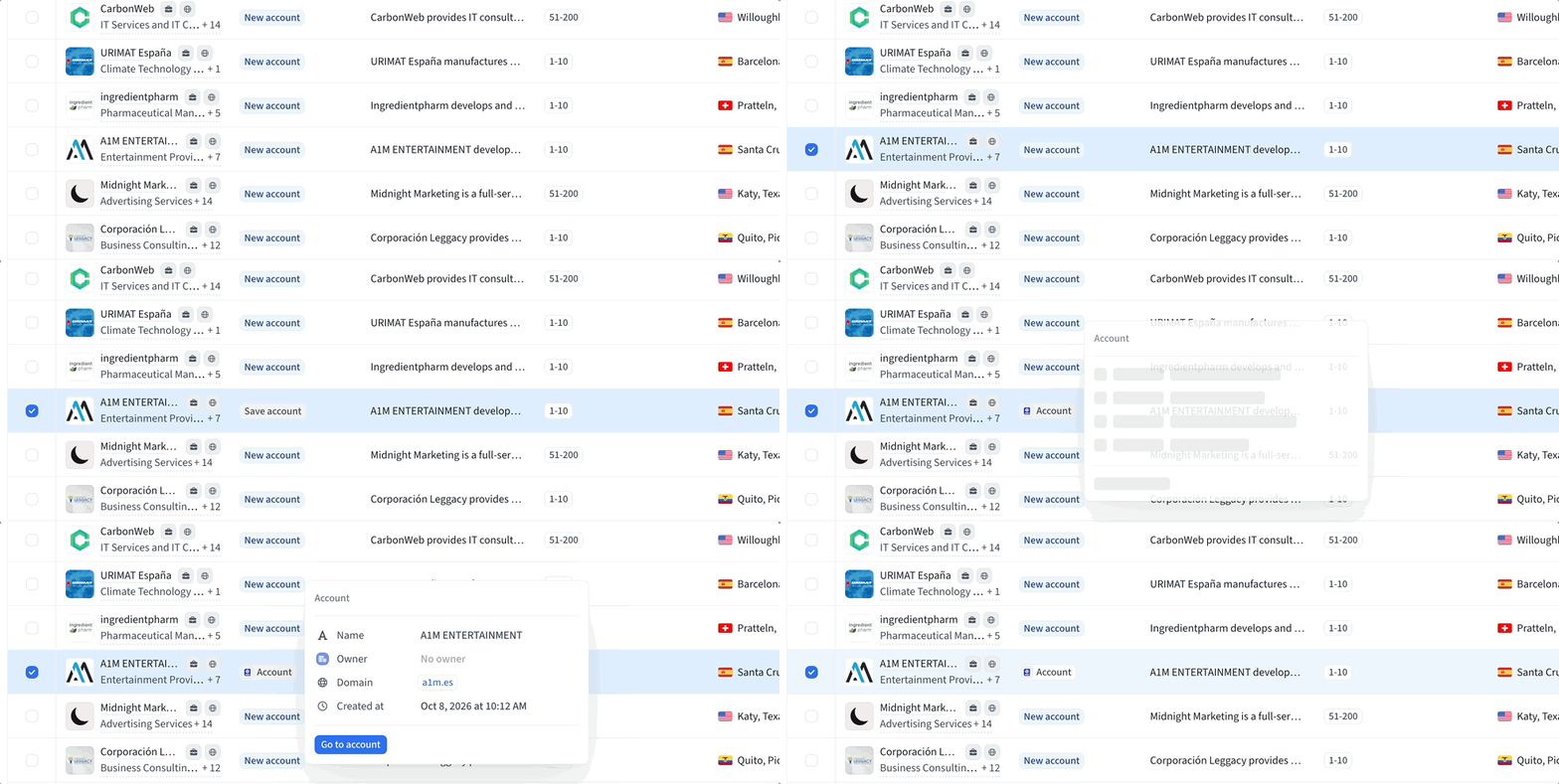
Saving copies a person or company from Amplemarket's business database into your Amplemarket Contacts and Accounts.
Saving a contact also saves the contact's company as an account
Saving an account saves only the account, not its people
Saving and your CRM
Saving puts the record in your Amplemarket Contacts or Accounts. Whether it also goes to your CRM depends on your setup.
Contacts
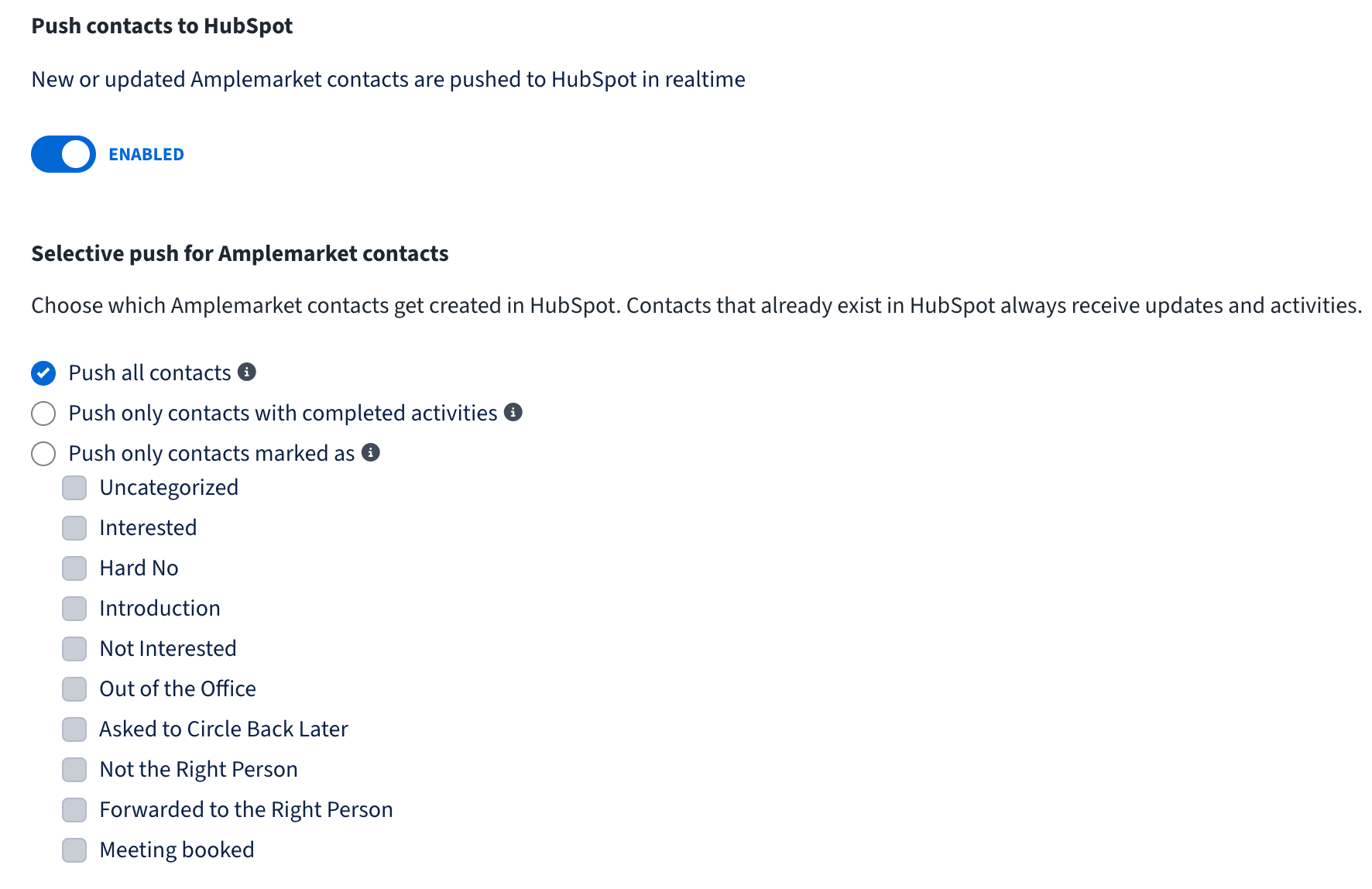
Contacts follow your CRM integration settings. You can find them in Settings > Integrations > your CRM > Push Records > Contacts). Two settings decide what happens when you save a contact:
Push contacts to [your CRM]
If it is Disabled, a saved contact is never pushed
Selective push for Amplemarket contacts
If the push is Enabled, this decides when a contact is pushed
What each selective push option does when you save a contact
Push all contacts
Contact is sent to your CRM as soon as you save it
Push only contacts with completed activities
Contact is saved in Amplemarket only. It is pushed once it has been contacted in a sequence (the first step is completed) or has finished the sequence
Push only contacts marked as
Contact is saved in Amplemarket only. It is pushed once one of its replies gets one of the labels you selected, such as Interested or Meeting booked. "Uncategorized" covers replies without a label
Contacts that already exist in your CRM always receive updates and activities, whichever option you choose. When a contact is pushed, its account is pushed with it.
Accounts
Accounts are saved in Amplemarket only. They are not pushed automatically.
To send accounts to your CRM, go to the Companies tab in Searcher, select the companies, and click Push to [your CRM].
Pushing an account does not push its contacts.

How to save
You can save from several places.
A single row in Searcher
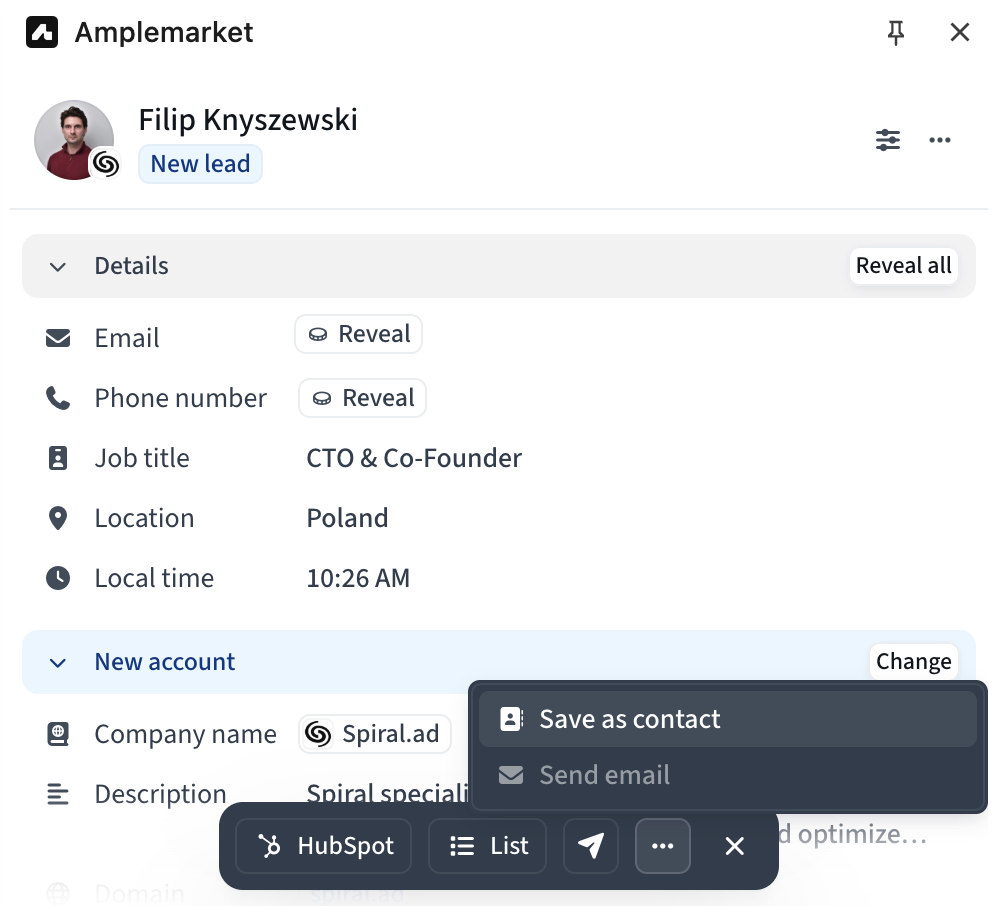
In the People tab, hover over the New lead label and click Save contact
In the Companies tab, hover over the New account label and click Save account
Person & company drawer in Searcher
Open the drawer by clicking the person or company, then click Save
Bulk action in Searcher
Select rows and use the actions menu
Employees tab on Account page
Amplemarket Extension
New and saved in Searcher
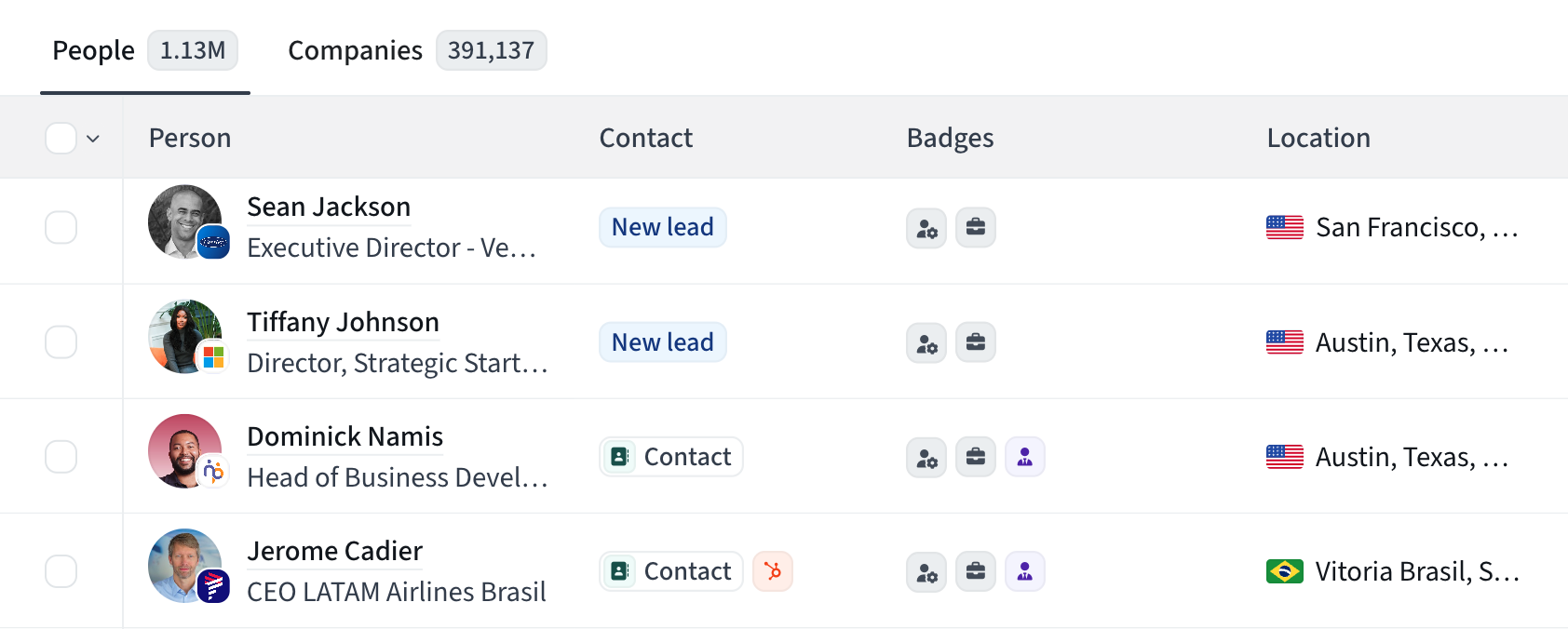
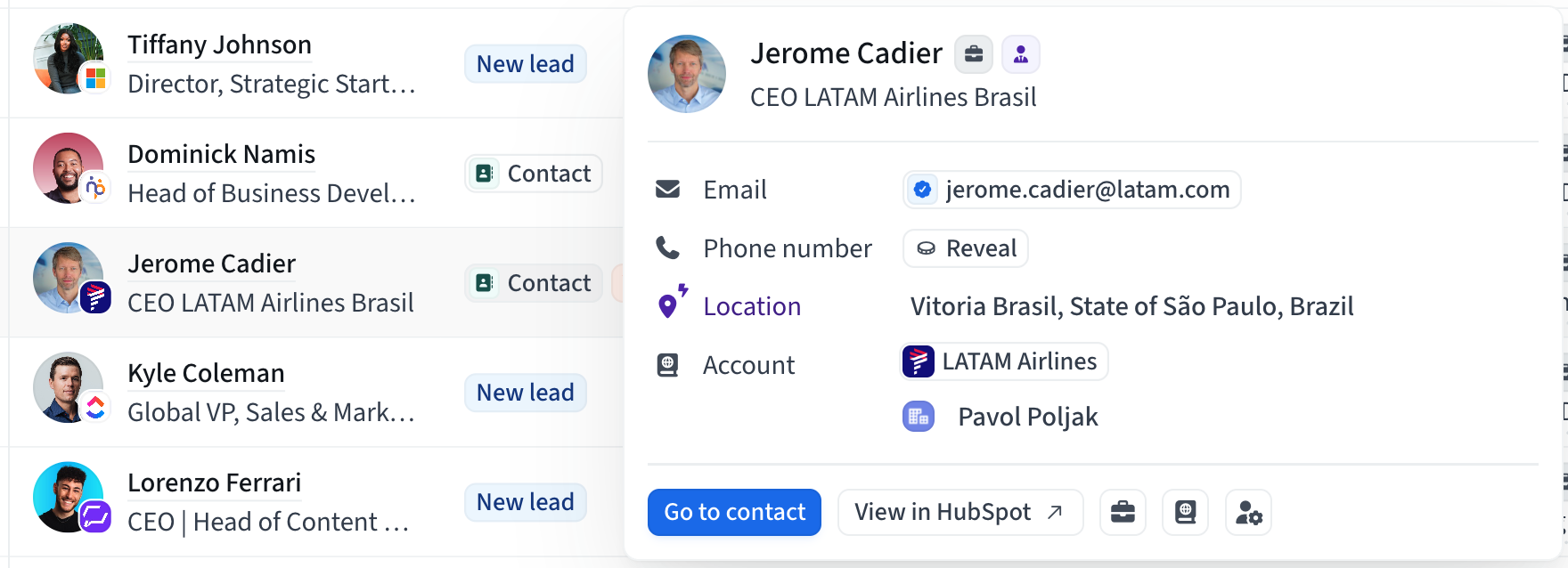
The People tab has a Contact column. The Companies tab has an Account column.
New lead / New account
The record is not in your Contacts or Accounts yet
Click it to save
Contact / Account
The record is saved
Click it to open it
Check if a record is in your CRM
A saved record that exists in your CRM shows a small CRM icon next to its label.
CRM icon
The record is in your CRM
Click the icon to open it there
No CRM icon
The record is saved in Amplemarket only
It has not been pushed yet, or it is waiting for the rules in your push settings

You can also hover over the label to open a card with a View in CRM action.
Filter by new and saved
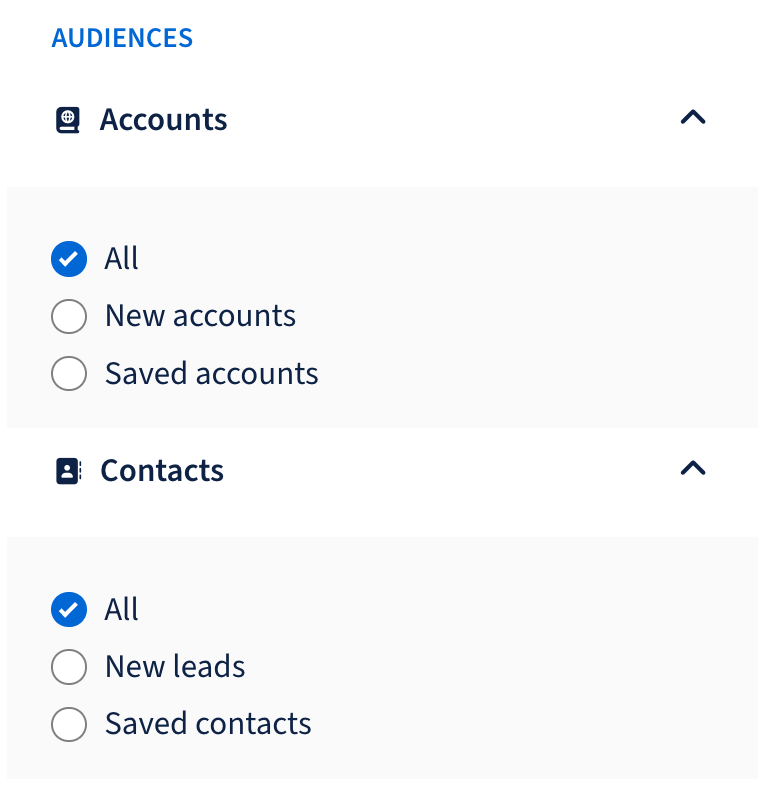
Open the filters panel. Two sections have the same three options:
Accounts
All
New accounts
Saved accounts
Contacts
All
New leads
Saved contacts
The filters work on both the People and Companies tabs, and you can combine them. People and companies synced from your CRM into Contacts and Accounts also count as saved.
How to use them
Find fully new prospects
Set Accounts to New accounts and Contacts to New leads
You get people and companies you have never saved
Add people to accounts you already work
Set Accounts to Saved accounts and Contacts to New leads
You get people you have not saved yet at companies already in your Accounts
Limitations
Outdated contacts
Searcher does not check right now whether a person still works at the company their contact belongs to
A person who changed jobs and still has an old contact counts as saved
They appear under Saved contacts and are hidden by New leads
Several contacts for one person
Searcher shows one contact per person
It picks the best match and prefers the contact at the person's current company
If none is at the current company, it can pick an older one
FAQ
Does saving send the record to my CRM?
It can, for contacts. A contact is sent right away only if Push contacts is Enabled and selective push is set to Push all contacts. Accounts are not pushed automatically.
I saved a contact but it is not in my CRM. Why?
Check Settings > Integrations > your CRM > Push Records > Contacts. The contact is only sent when you save it if push is Enabled and set to Push all contacts. With either "only" option, it is sent later: after it has been contacted in a sequence, or after a reply gets one of your selected labels. Contacts you save but never reach out to stay in Amplemarket only. If your CRM was connected recently and its first sync is still running, the push can be delayed.
How do I know if a contact or account is in my CRM?
Look for the CRM icon next to the Contact or Account label. Click it to open the record in your CRM.
Can I save a company without its people?
Yes.
I saved someone but they still show as New lead.
The status can take a moment to update. Refresh the results.
Why does a person with an old contact show as saved?
See Limitations. Searcher does not check whether the contact is still at the right company.
Why can't I save a particular person?
In rare cases a person has asked to be removed from our data and cannot be saved.
Can I remove a saved contact or account?
Yes, from the Contacts and Accounts pages, Searcher drawers, Extension.