How to Insert Templates When Replying (Unified Inbox)
Last updated: August 6, 2025
Templates are pre-made messages designed to make your outreach quicker, more consistent, and easier to customize. Think of them as your go-to responses — always ready when you need them.
With Amplemarket, you can use templates for both emails and LinkedIn messages directly from the Unified Inbox.
Why Use Templates in the Unified Inbox?
Save time: No need to retype common replies.
Stay consistent: Ensure your communication style matches your team’s tone and guidelines.
Easy customization: Adapt the template to fit the specific lead or situation.
Be ready for anything: Have pre-set replies for objections, follow-ups, meeting confirmations, and more.
Creating Templates
Before you start using templates in replies, make sure you’ve created them on the Templates page: Go to Templates →
Create as many as you need for different situations.
Templates can be full messages or short snippets you insert into larger replies.
You can keep templates private or share them with your team.

Inserting a Template When Replying
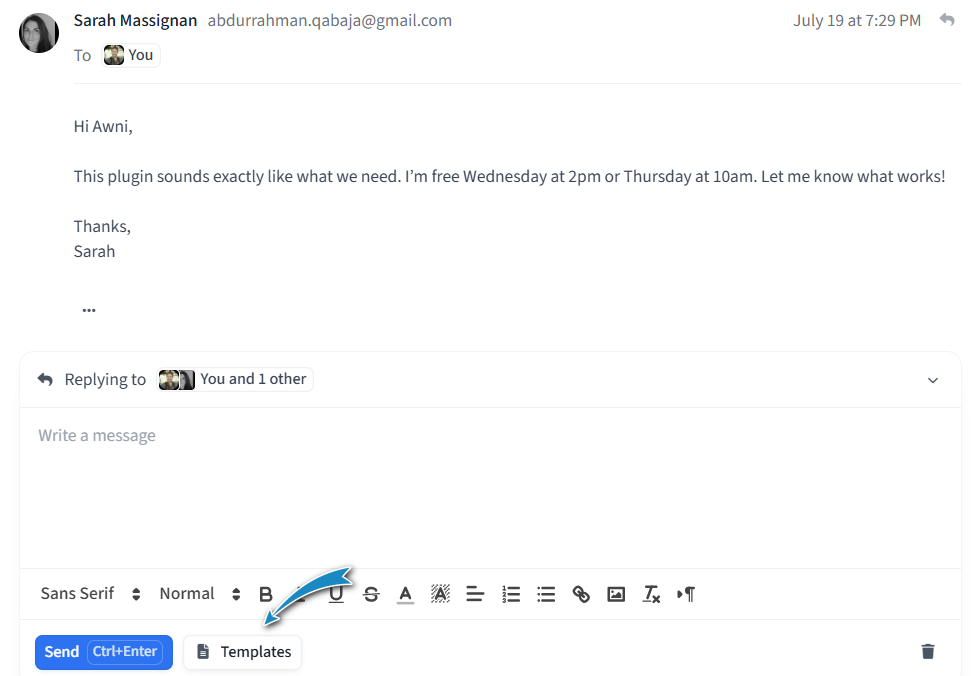
Open the conversation you want to reply to from the Unified Inbox.
In the reply composer, click the “Templates” button.
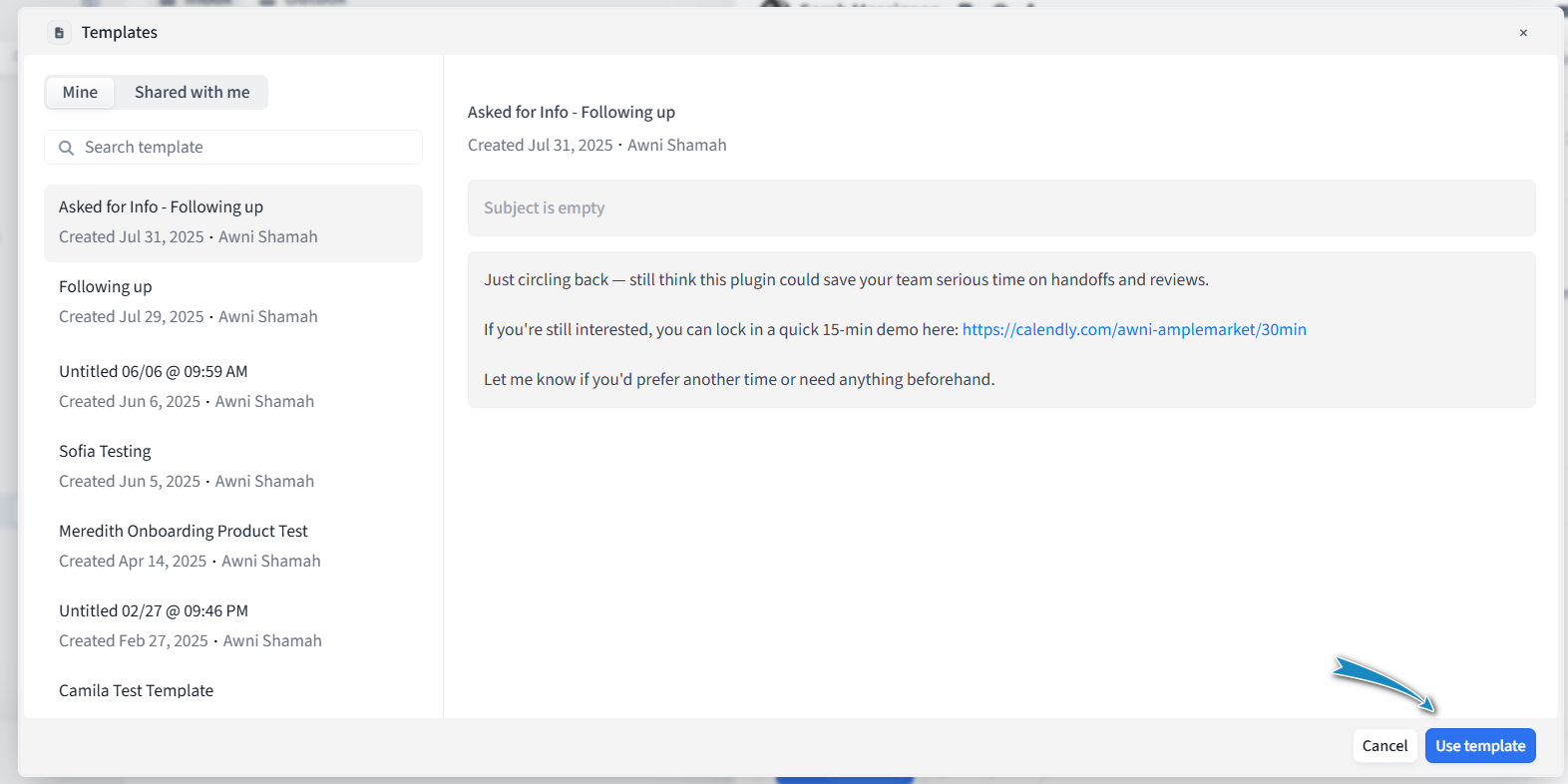
A pop-up will appear listing all templates you own or that have been shared with you.
Select a template from the list.
Click “Use Template” — the content will be inserted at your cursor’s position in the reply editor.
Make any quick edits needed to personalize it for the lead before sending.
Pro Tip
Keep a few go-to templates ready for:
Handling common objections:
"I completely understand your concern. Many of our customers felt the same way at first, but they found [solution/benefit] helped them achieve [result]. Would you like me to share a quick example?"
Quick follow-ups after no response
"Just checking in to see if you had a chance to review my last message. Happy to answer any questions or share more details if helpful."
Sending meeting confirmations
"Looking forward to our call on [date/time]. Here’s the link to join: [link]. Let me know if you need to reschedule."
Providing product or pricing info
"As requested, here’s a quick overview of our pricing and product highlights. Let me know if you’d like me to walk you through it in more detail."
With your templates at hand, replying from the Unified Inbox becomes faster, more consistent, and more effective.