Territories
Last updated: September 30, 2025
What are Territories?
Territories let you assign people on your team to specific segments like regions, industries, or company sizes. Currently, their usage is restricted to Duo Copilot, where you can use them to routes signals to the right reps based on territory ownership.
For example:
Create a “France” territory for French accounts and assign it to the France team.
Create a “Mid-Market North America” territory based on revenue filters and assign it to a specific group of AEs.
You can then use territories as a distribution method in Duo Copilot so that leads automatically reach the right reps.
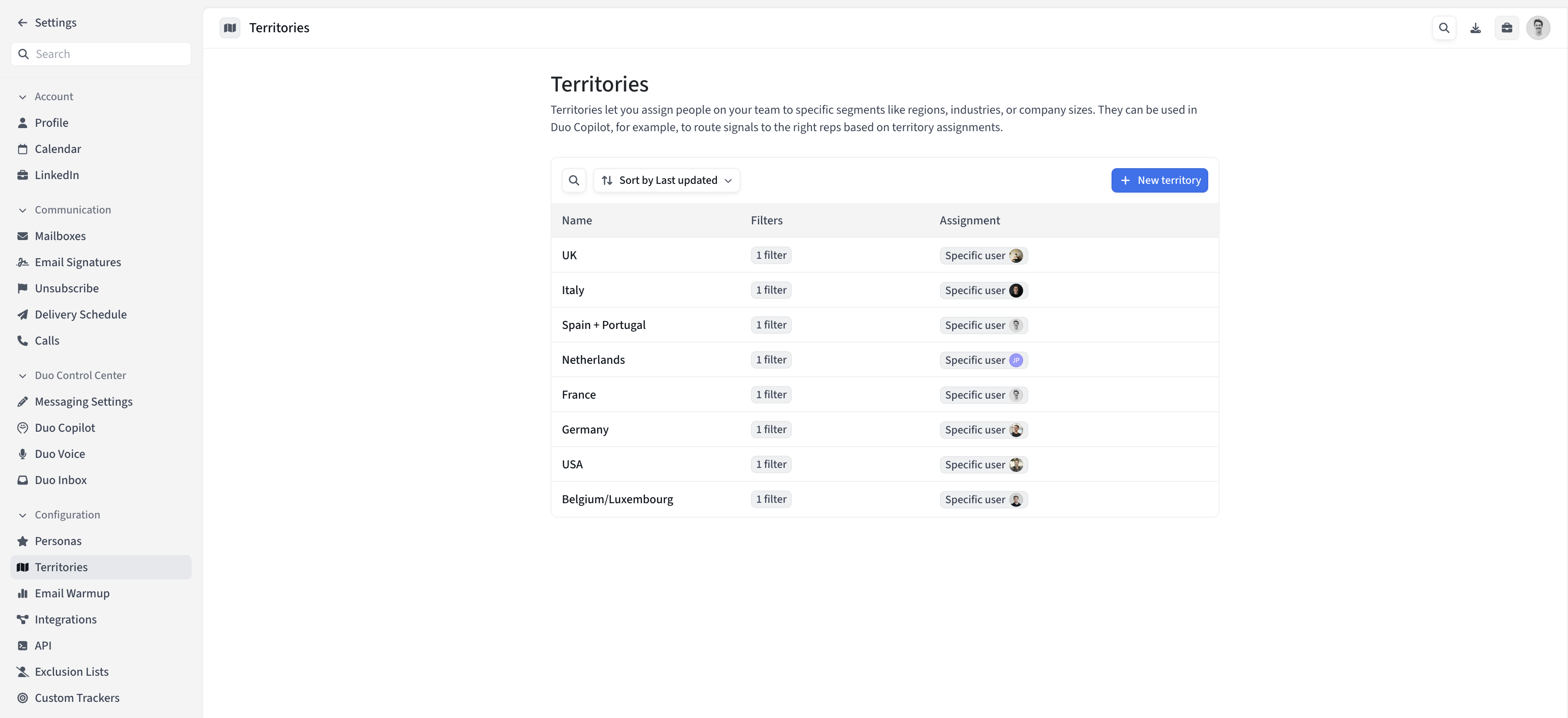
How to create a Territory
Prerequisites
You must be an account admin to create and manage territories.
Steps
Navigate to Settings → Territories
Click “New territory”
Name your territory and define the filters that define the territory
Use filters like:Company locations (e.g. UK, EMEA, DACH)
Industries
Revenue / Company size
Titles / People locations
Assign it to specific users or teams
Choose between:Teams: automatically includes all members of a team (and new members added later will inherit the territory).
Specific users: assign territory to individual reps.
Save your territory
Using Territories in Duo Copilot
When creating or editing a signal in Duo Copilot, you’ll now see Territory as a distribution method.
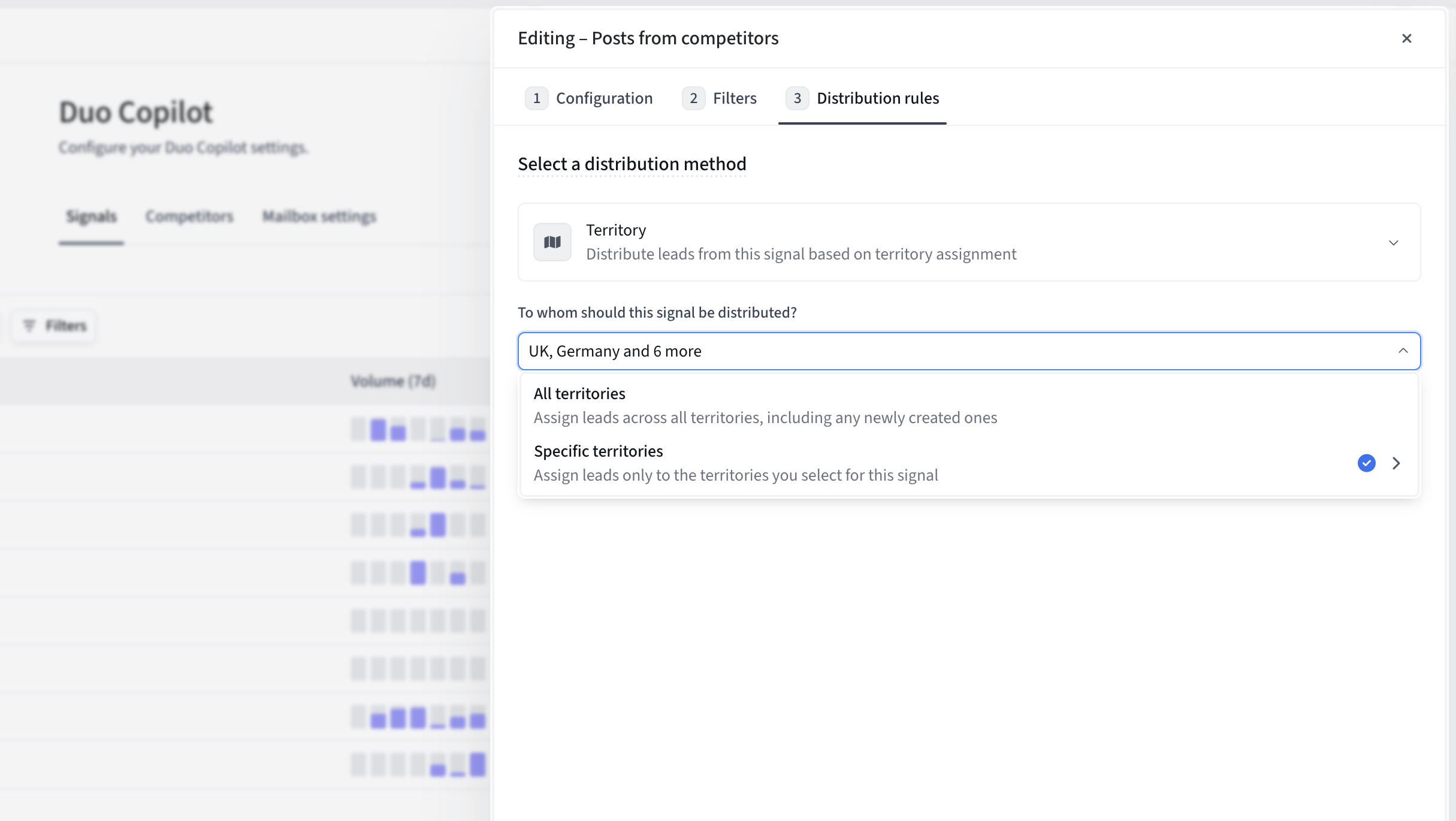
With this method, you can distribute signals:
To all territories (including any new ones you add in the future).
To specific territories only (e.g. just Germany + USA).
You can learn more about Duo Copilot distribution strategies here.
Best Practices
Use Teams assignment if you want new hires to automatically start receiving their territory’s leads.
Keep your filters as close as possible to your sales segmentation (region, segment, industry).
Combine with CRM owner distribution when appropriate (e.g. territories for net new accounts + CRM owner for existing accounts).
FAQ
What happens if a lead matches multiple territories?
The lead will be distributed to one of the matching territories. As a best practice, consider making territory filters mutually exclusive to avoid over-distribution.
What happens if multiple reps are assigned to the same territory?
Leads from that territory will be distributed among those reps in round robin fashion.
What happens if no territory matches a lead?
When using territory distribution, leads that don't match any territory filters will not be distributed. Consider:
Creating a broad "catch-all" territory for unmatched leads
Creating signals with adding additional distribution rules (like Round Robin) as fallbacks
Who can edit territories?
Only account admins can create, edit, or delete territories. Other users can view territories but cannot modify them. If you need changes and aren't an admin, contact your account administrator.
What happens when I delete a territory?
You cannot delete a territory that's currently being used in any active signal if that territory is the only territory being used in it. You'll need to change the distribution of those signals first, then you can delete it.