Omnisearch
Last updated: October 15, 2026
Search people, companies, contacts & accounts, or look up someone by phone number, from anywhere in Amplemarket.
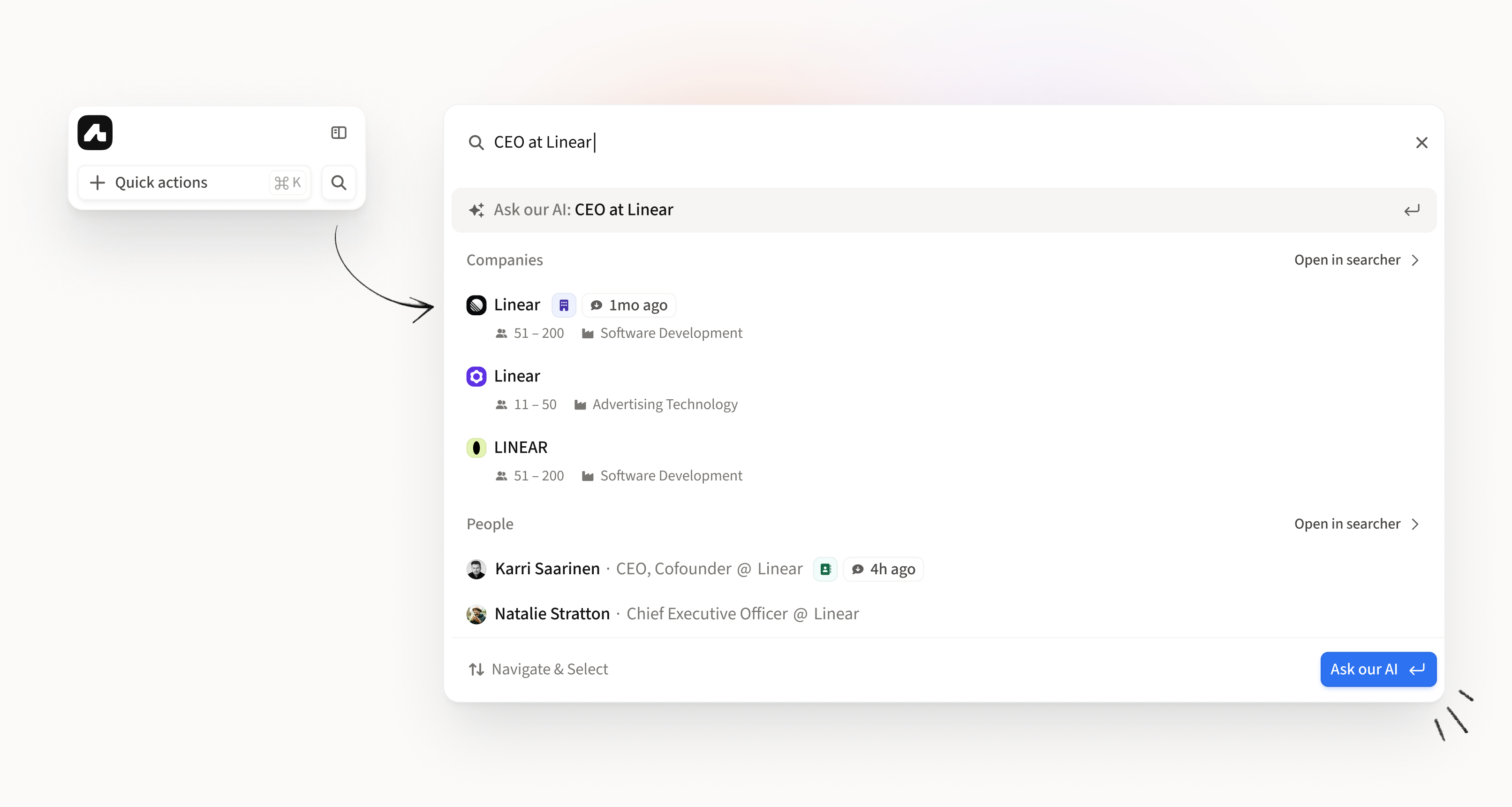
What is Omnisearch?
Omnisearch is Amplemarket's unified search that lets you find people, companies, contacts, and accounts from anywhere in the platform. Search across your entire database instantly, whether you're prospecting new leads or looking up existing contacts.
How to Access Omnisearch
Option 1: Sidebar Click the search icon 🔍 in the left sidebar
Option 2: Keyboard Shortcut Press Shift + / from any page in Amplemarket
What You Can Search
Omnisearch finds results across:
People - prospects from our 200M+ database
Companies - any company in our database
Contacts - people between your Amplemarket contacts
Accounts - companies between your Amplemarket accounts
Search Examples
By Role + Company:
"CEO at Stripe"
"CMO @ Dropbox"
"CTO Notion"
By Name + Company:
"Drew Dropbox"
"Patrick Stripe"
By Domain:
By LinkedIn URL:
Paste any LinkedIn profile URL
By Contact Email:
Search for Amplemarket contacts by their email address
By Phone Number:
"(555) 123-4567"
"+15551234567"
Search by Phone Number
Got a call from a number you don’t know? Type or paste the full number in Omnisearch to see who it is.
Omnisearch finds contacts with that number when the number is revealed, uploaded, or synced from your CRM in your Amplemarket account. It looks across your whole account.
Supported number formats
You can type the number with or without the country code. Spaces, dashes, dots and brackets are fine.
These all work for the same number:
+1 555 123-4567
+15551234567
001 555 123 4567
(555) 123-4567
Current Limitations
Email and phone number search only find records already in your Amplemarket account.
Email: contacts only
Phone number: contacts and people with a number that is revealed, uploaded or synced from your CRM
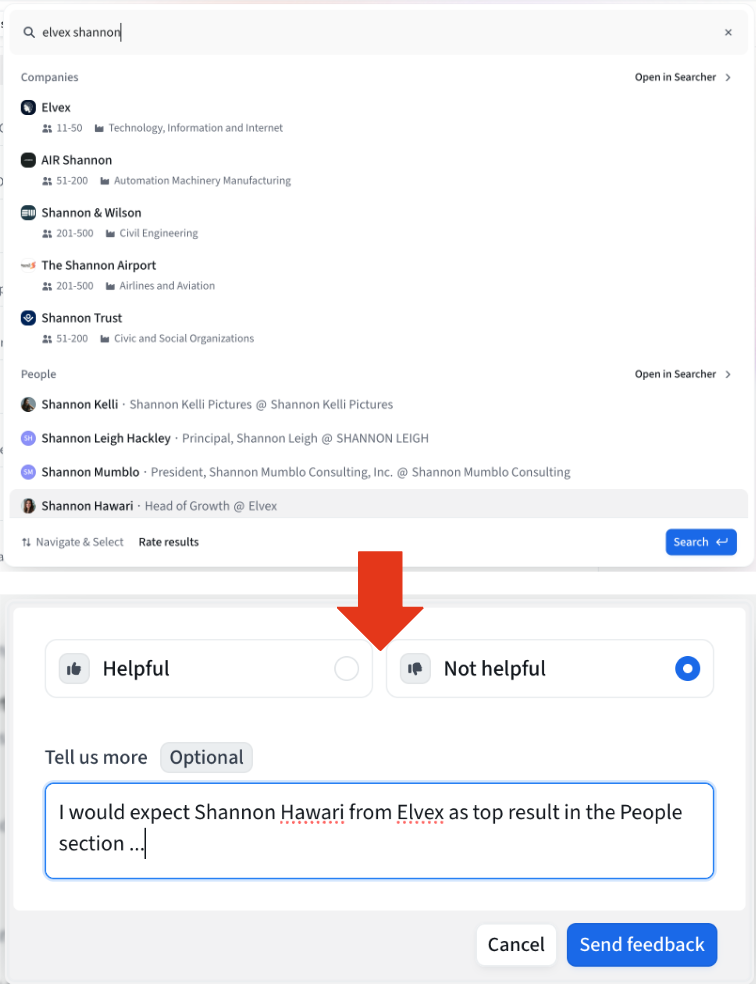
How to Report Feedback
We're continuously improving Omnisearch based on your feedback.
To report search quality issues:
Run a search in Omnisearch
Click "Rate results" at the bottom of the search results
Select 👍 (helpful) or 👎 (not helpful)
(Optional) Add details about what went wrong:
Missing results
Wrong results
Duplicates
Performance issues
Your feedback helps us improve search quality for everyone!
Need Help?
If you have questions or feedback about Omnisearch, contact us at support@amplemarket.com