How Many Emails is it safe to send per day?
Last updated: February 24, 2026
When it comes to outbound email, one of the most common questions is: How many emails can I safely send per domain each day? While there’s no strict, industry-wide rule, there are best practices you can follow to maximize deliverability and avoid damaging your domain reputation. These practices are especially important for recently created mailboxes.
Amplemarket's Automatic Ramp-Up
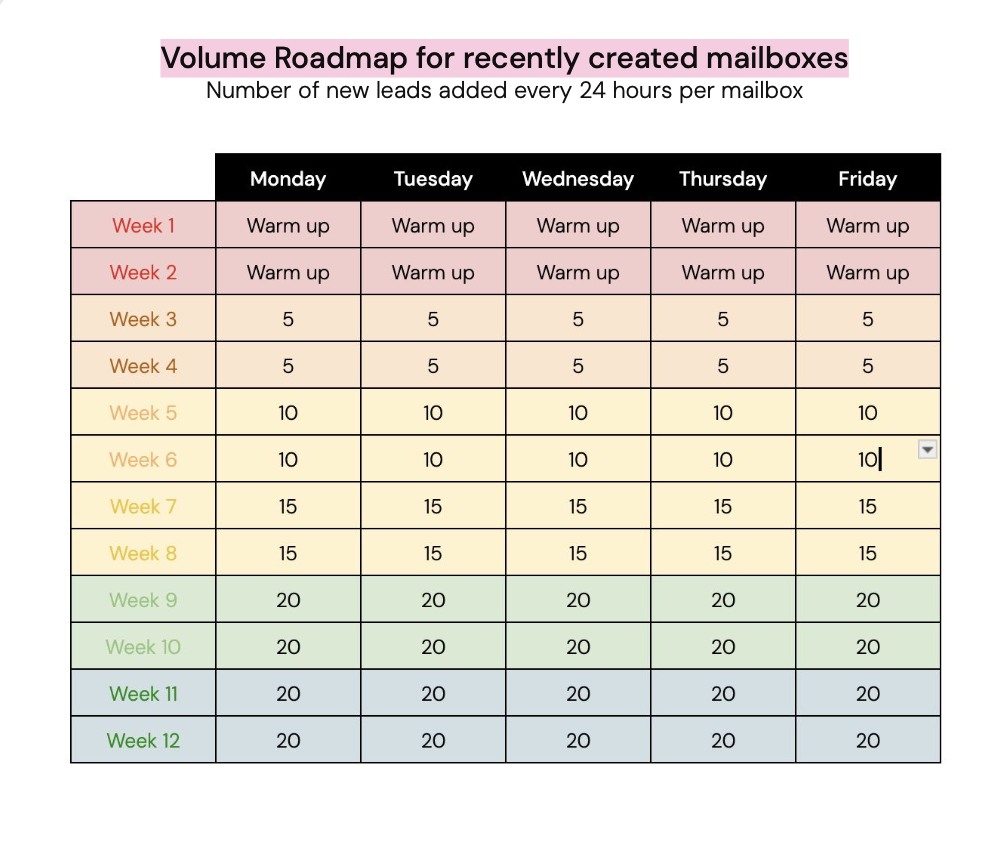
When a new mailbox is connected, Amplemarket will automatically set the daily sending limit and progressively ramp it up over time according to the volume roadmap below:
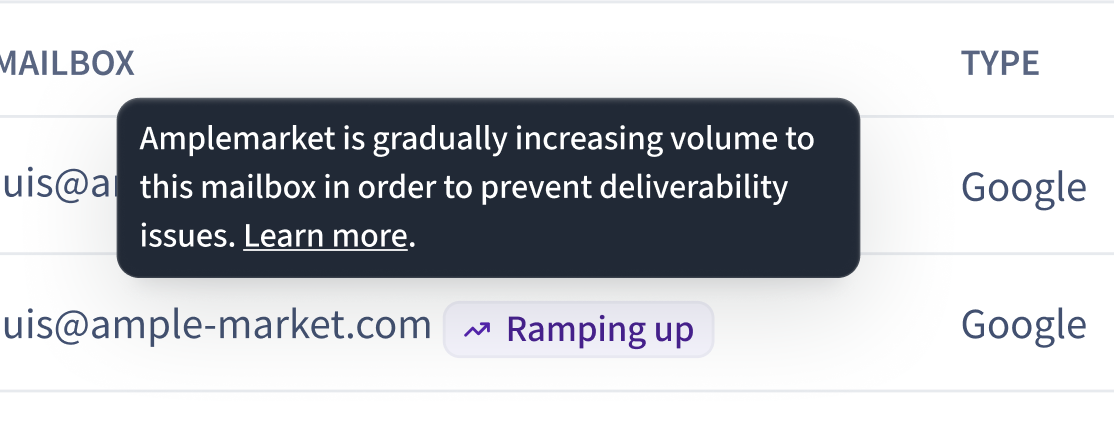
A Mailbox with this feature running will be indicated by the Ramping Up label next to it from the mailbox settings:
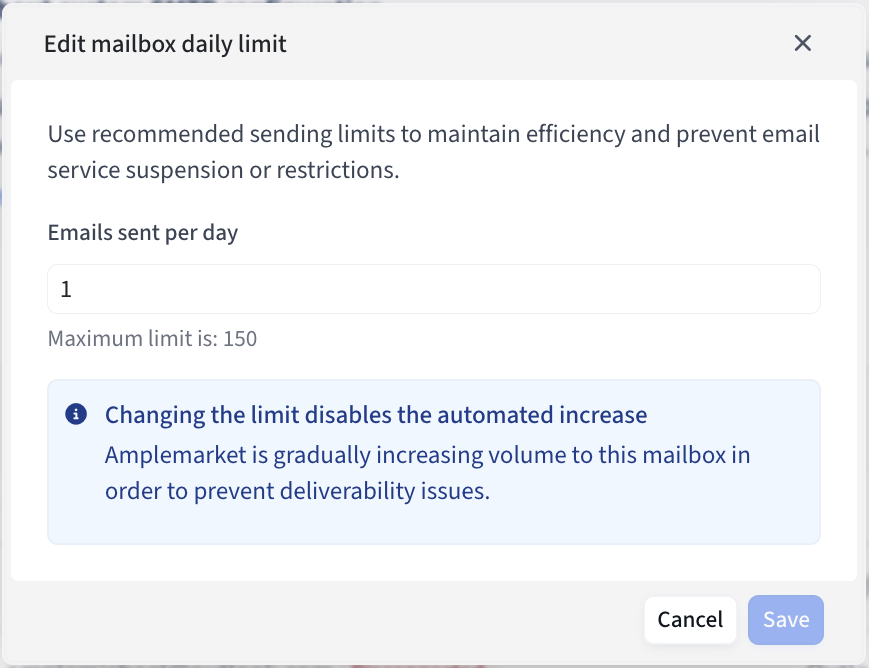
Manually changing the daily limit for a mailbox will override the automatic ramp-up:
Why sending volume matters
Email providers (Google, Microsoft, etc.) carefully monitor send patterns. Sending too many emails too quickly can:
Trigger spam filters
Increase the risk of bounces
Damage domain reputation
Once a domain is flagged, recovering reputation might be difficult and can significantly hurt the ability to reach leads.
Recommended Approach
Although there’s no universal daily cap, the safest approach is to:
Stay within mailbox-level limits
New mailboxes: Start very slow (5-10 emails/day) and gradually increase over time (don’t forget about warm-up).
Aged, healthy mailboxes: Typically safe in the range of 30-50 cold emails/day.
Monitor key metrics
Reply rates
Spam placement
Bounce rates
Engagement (positive replies vs. negative replies)
Adapt dynamically
If metrics worsen (spam complaints, low engagement, high bounce rates), pull back volume.
Rest mailboxes/domains if flagged, instead of pushing through.
Outbound-only Domains
For domains set up specifically for outbound campaigns:
Use them cautiously. Providers may be more suspicious if they lack organic traffic (e.g., newsletters, inbound emails).
Pair with proper authentication (SPF, DKIM, DMARC).
Avoid aggressive scaling; keep volumes moderate and stable.
If more volume is needed, scale horizontally. Add more domains instead of overloading one (this spreads sending volume and reduces the risk of deliverability issues if a single domain runs into trouble).
Things to Avoid
Large sudden jumps in send volume (e.g., going from 10 to 200 emails/day overnight).
Over reliance on warm-up: Although warm-up helps, it may not be sufficient by itself to maintain mailbox health.
Complex formatting: Use simple, text-based emails without heavy links, bold/underline formatting, or “spammy” signatures.
Key Takeaways
There’s no fixed “magic number” for safe daily sends per domain.
Best practice: start small, monitor closely and scale gradually.
Deliverability depends more on quality (engagement, personalization, targeting) than pure quantity.
When in doubt, prioritize reputation protection over volume.
If scaling is needed, create more domains to spread out volume.