Set a sequence's priority
Last updated: November 25, 2026
When several live sequences compete for the same mailboxes and LinkedIn limits, higher-priority sequences send first. Use High priority for time-sensitive outreach, such as contacts you want to reach before an event.
Why priority matters
Each mailbox can send a limited number of emails a day, and Amplemarket can run a limited number of LinkedIn actions for you. When many sequences share those limits, a new sequence can wait behind older ones. Amplemarket also gives slight priority to older tasks, so a new sequence has a lot of competition. Setting it to High moves its stages ahead of Normal sequences.
There are two levels: Normal (the default) and High.
Change the priority
From the Sequences list
Go to Sequences and click the priority icon in the sequence's Priority column. Each click switches it between Normal and High, and the change applies right away.
From the sequence's settings
Open the sequence and go to the Settings tab. For a live sequence, click Edit first.
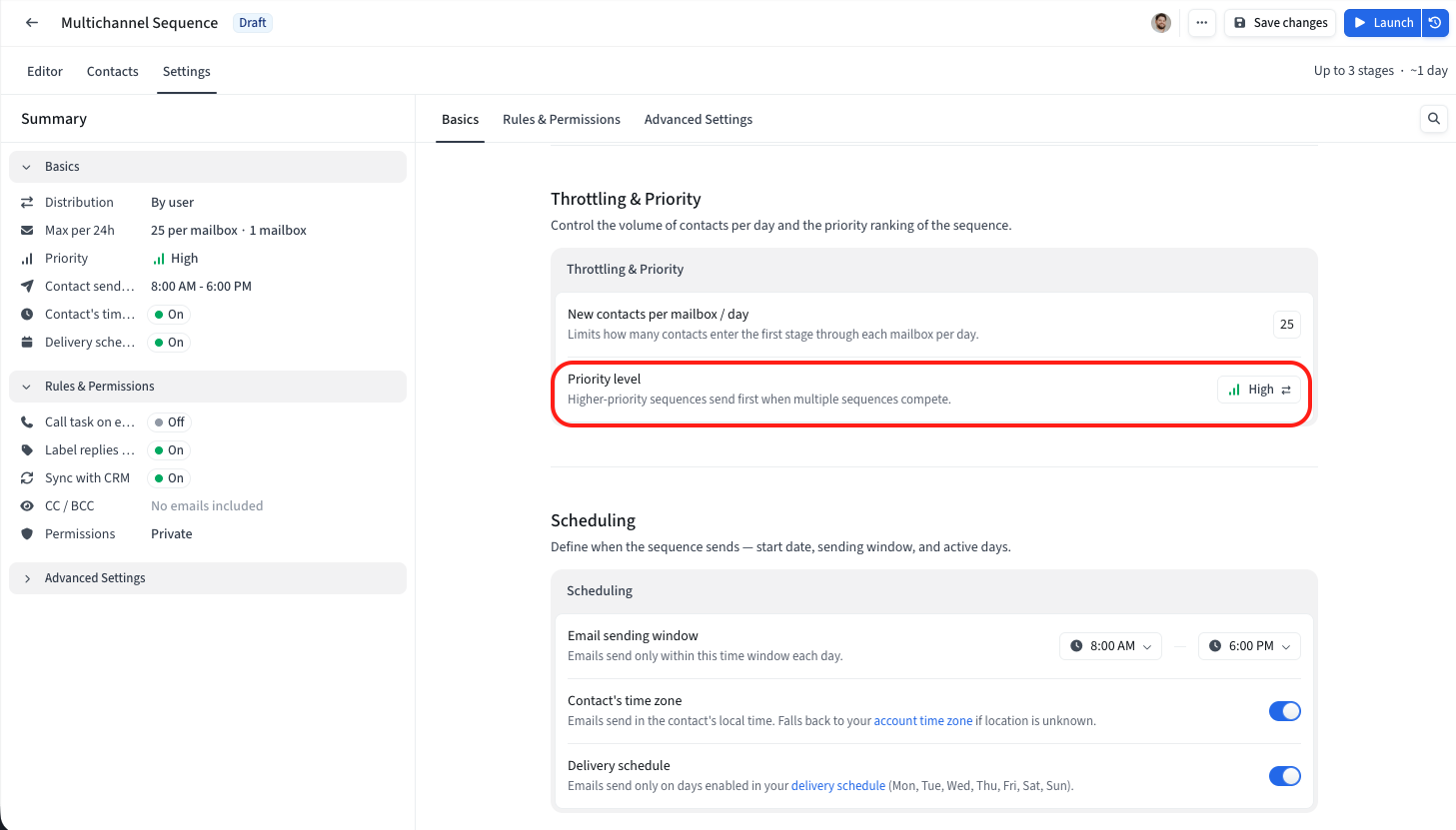
In Basics, go to Throttling & Priority.
Click Priority level to switch between Normal and High.
Click Save changes, or Publish changes on a live sequence.
From a live sequence
Open the live sequence. Its priority shows in the Details panel, where you can also change it.
Troubleshooting
A High-priority sequence still isn't sending
Priority only decides the order when sequences compete. Also check the sequence's sending window, its New contacts per mailbox / day, and each mailbox's daily limit.