WhatsApp & iMessage Stages Overview
Last updated: November 14, 2025
Overview
The new iMessage and WhatsApp stages in Sequences allow you to reach high-value leads through their most responsive channels — directly from Amplemarket.
When this stage runs, Amplemarket automatically generates a ready-to-send link with your prefilled message and the prospect’s phone number.
For WhatsApp, the link opens WhatsApp Web (using the number linked to your WhatsApp Web or WhatsApp Business account).
For iMessage, it opens your iMessage app and uses the phone number already connected to your Apple ID.
These stages are designed to save time and remove manual steps — no more copying numbers or switching devices. You stay in the Sequence flow while Amplemarket opens your preferred messaging app for you.
Important notes before you start
Messages are sent from your own phone number, using your existing WhatsApp Web or iMessage setup.
Amplemarket does not send the message on your behalf — you send it directly from your own messaging app.
Replies are not tracked:
Amplemarket cannot detect replies, opens, or message delivery for WhatsApp or iMessage.
If a lead replies in WhatsApp or iMessage, Amplemarket will not automatically pause or stop the Sequence. You’ll need to remove or update that lead manually.
Because these are personal channels, they should only be used for high-value, highly engaged prospects. Sending messages at scale or to cold leads can put your number at risk of being flagged as spam.
How it works
[1] Stage setup in Sequences
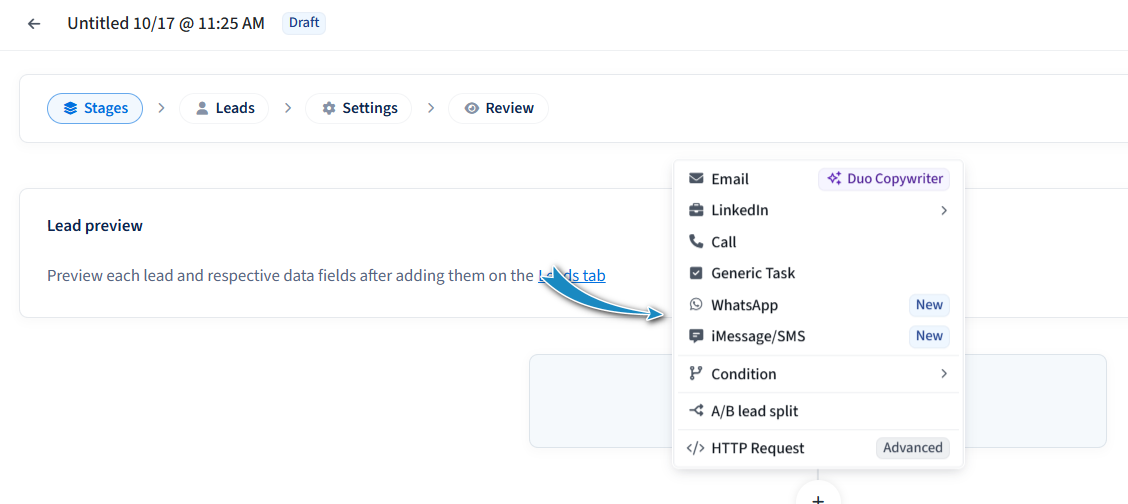
Choose Add Stage → iMessage or Add Stage → WhatsApp.
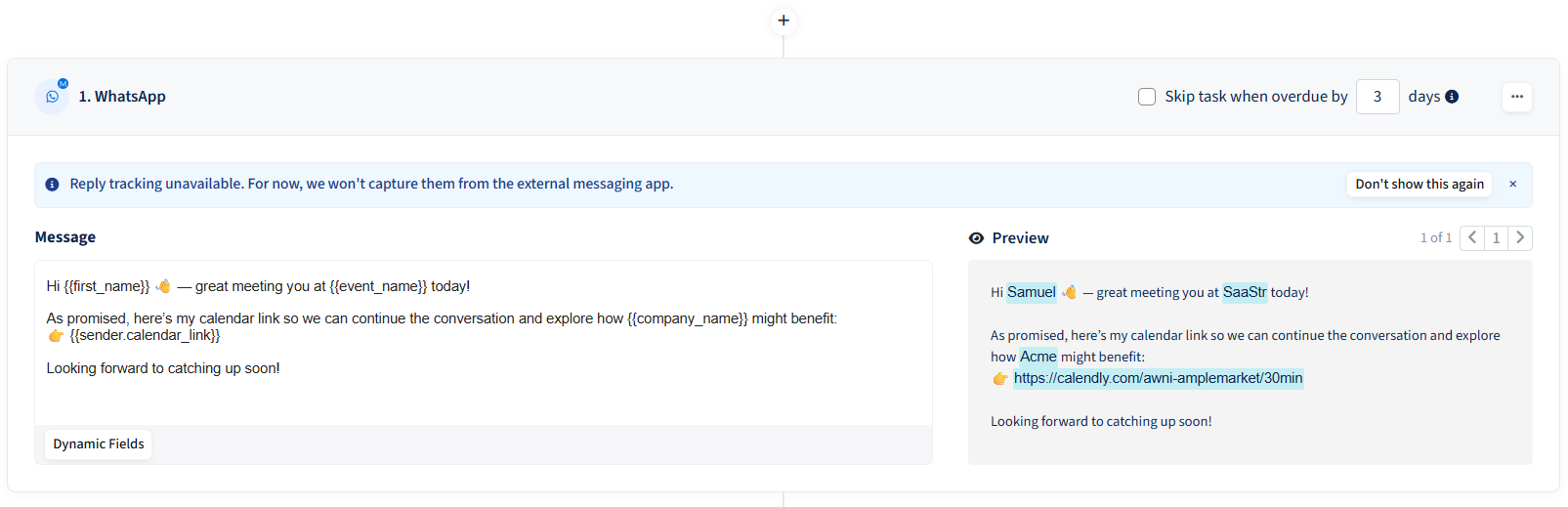
Write your message using dynamic fields (e.g.
Hi {{first_name}} – great speaking with you today!).When the stage runs, Amplemarket renders and encodes your message, replacing all variables automatically.
[2] In the Universal Task Viewer (UTV)
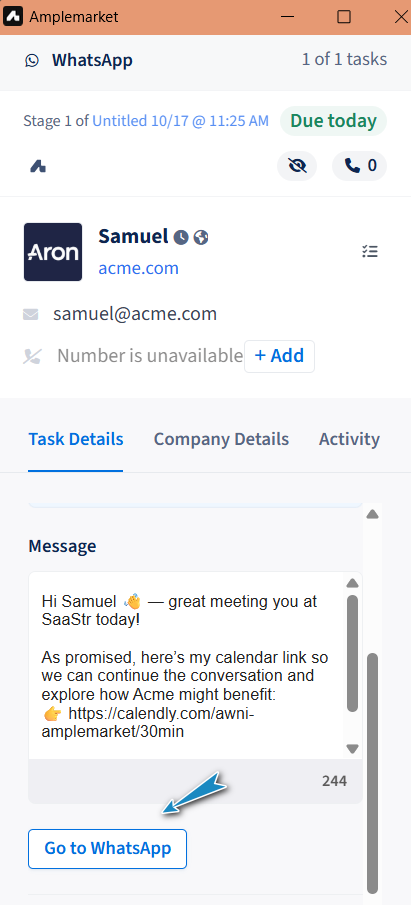
You’ll see a button such as “Go to WhatsApp” or “Open to iMessage” with the relevant icon.
Clicking the button opens the app with your prefilled message ready to send.
After sending, simply click Mark Done or Skip in Amplemarket to proceed to the next task.
Best practices & Example Use-case
Use responsibly: WhatsApp and iMessage are high-trust, personal channels. Use them for warm, high-intent leads — for example, after a positive call or event interaction.
Avoid mass messaging: Spamming many contacts over these channels can result in your number being flagged.
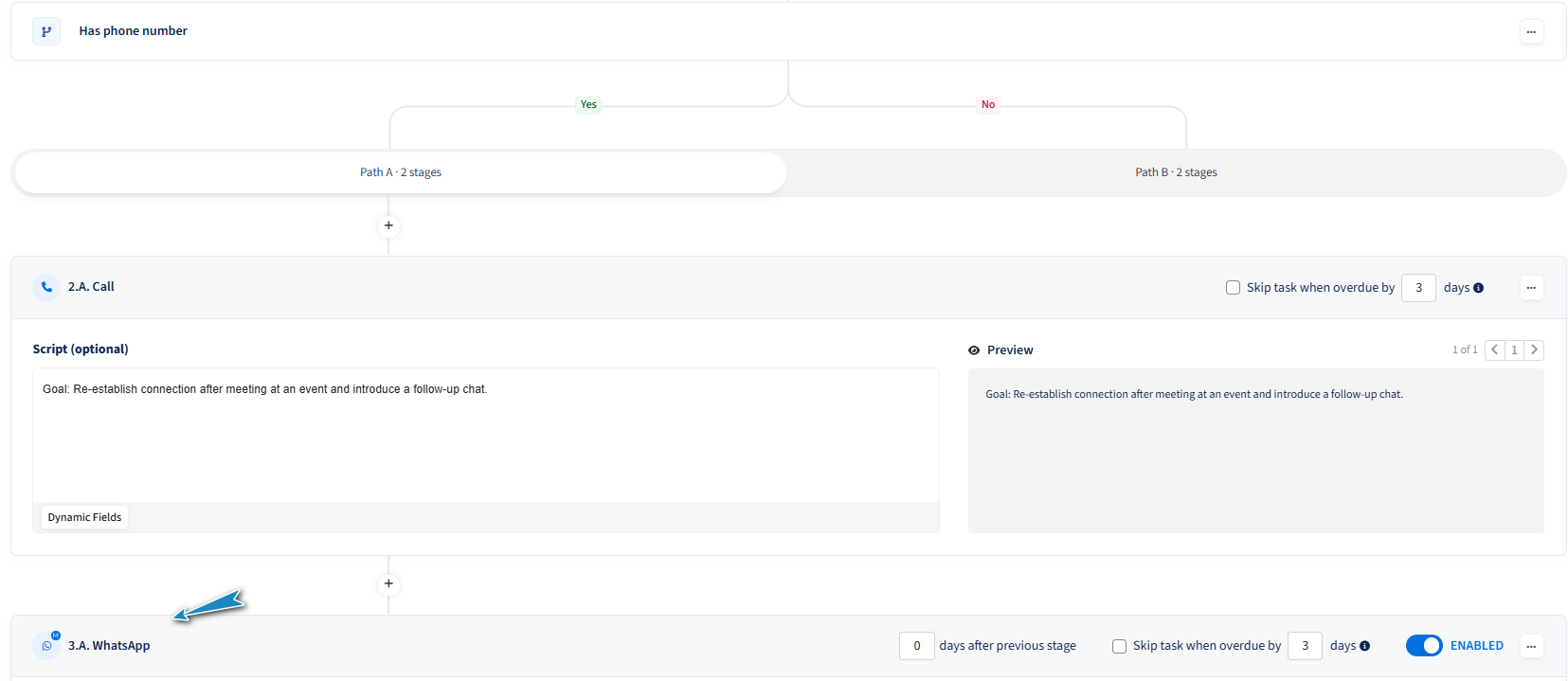
Add conditions: Start your Sequence with a condition such as Has phone number.
If true → run a call stage, then a WhatsApp message stage.
If false → continue the Sequence with email or LinkedIn actions.
Position these stages at the end of your Sequence. Since we don’t track replies, keeping them last prevents accidental follow-ups to leads who already replied on WhatsApp or iMessage.
Prepare your setup:
For WhatsApp Web, make sure your browser session is logged in to your WhatsApp or WhatsApp Business account.
For iMessage, ensure your Mac or iPhone is connected and configured to send messages from the right number.
Example use case
Scenario: You just finished a call with a warm lead at an event.
Your Sequence checks Has phone number → Yes.
The next stage is a Call, followed by a WhatsApp Message:
“Hi {{first_name}}, great meeting you at {{event_name}} today! Here’s the link I mentioned during our chat.”When this stage triggers, Amplemarket opens WhatsApp Web with your personalized message ready — one click away from sending.
FAQ
Will Amplemarket send messages for me?
No. Amplemarket only prepares the message and link. The actual send happens in your own WhatsApp Web or iMessage app.
Can Amplemarket track if the message was delivered or opened?
No. Since messages are sent through your personal apps, Amplemarket cannot detect opens, deliveries, or replies.
What happens if a lead replies on WhatsApp or iMessage?
Replies will appear directly in your messaging app. You’ll need to manually remove that lead from the Sequence if necessary.
Can I use this stage for every lead in my Sequence?
It’s not recommended. Use these stages only for high-value, engaged prospects to protect your number’s reputation.
Do I need to configure anything before using these stages?
Just ensure you have:
A valid phone number for the lead. Amplemarket automatically reveals and enriches phone numbers before executing the task.
An active WhatsApp Web session or iMessage account on your device.
Can I use these stages in Duo Copilot?
Yes, just update your Messaging settings > Sequence instructions to instruct Duo to use these stages. Example prompt:
Make sure all my recommended sequences end with an iMessage stage.