Do Not Call (DNC) List Screening
Last updated: January 30, 2026
What is Do Not Call (DNC) List Screening?
Do Not Call (DNC) list screening helps your team identify phone numbers that are registered on Do Not Call registries. When enabled, Amplemarket automatically flags these protected numbers across the platform, helping your team reduce compliance risk when making outbound calls.
Do Not Call registries are usually maintained by government agencies and contain phone numbers of individuals who have opted out of receiving unsolicited telemarketing calls. Calling these numbers requires proper authorization, such as prior consent or existing business relationships.
Note: Amplemarket provides DNC information to help you make informed decisions. You can still call DNC numbers when you have valid exemptions like prior consent or existing business relationships. Compliance with telemarketing regulations remains your responsibility.
How to Enable DNC List Screening
DNC screening is an admin-only feature that can be enabled in your account settings.
Follow these steps to enable DNC screening:
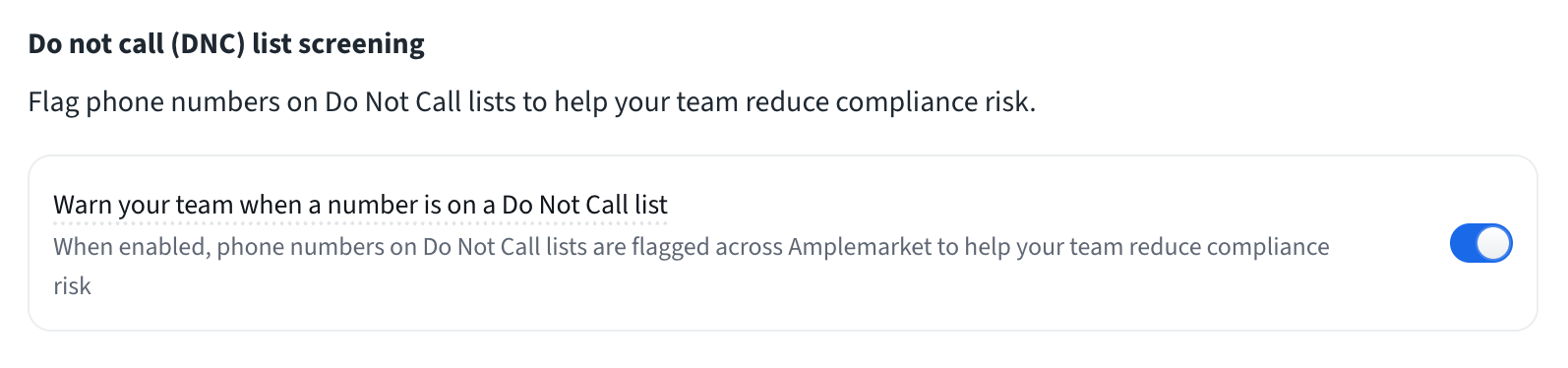
Go to Settings → Safety
Find the Do not call (DNC) list screening section
Toggle on "Warn your team when a number is on a Do Not Call list"
Once enabled, all users in your account will see DNC indicators across Amplemarket
ℹ Currently available for U.S. phone numbers only.
Where DNC Indicators Appear
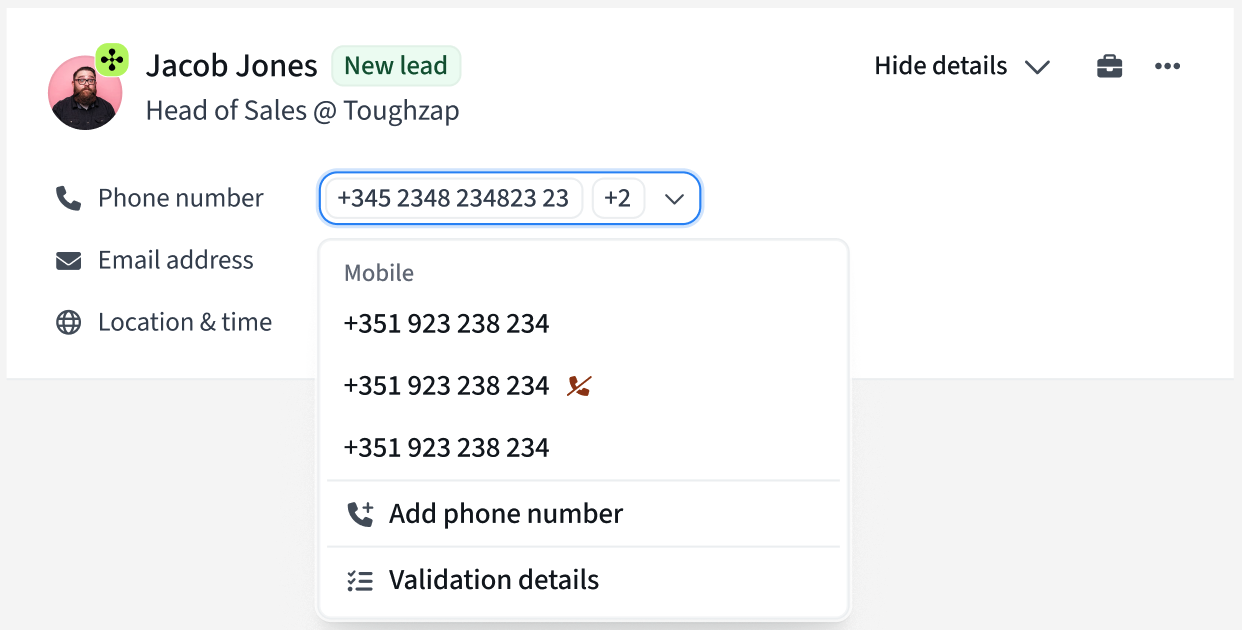
Once enabled, DNC status is displayed across all surfaces where phone numbers appear:
List Pages
Searcher
Lists
Contacts
Saved Searches
Territories
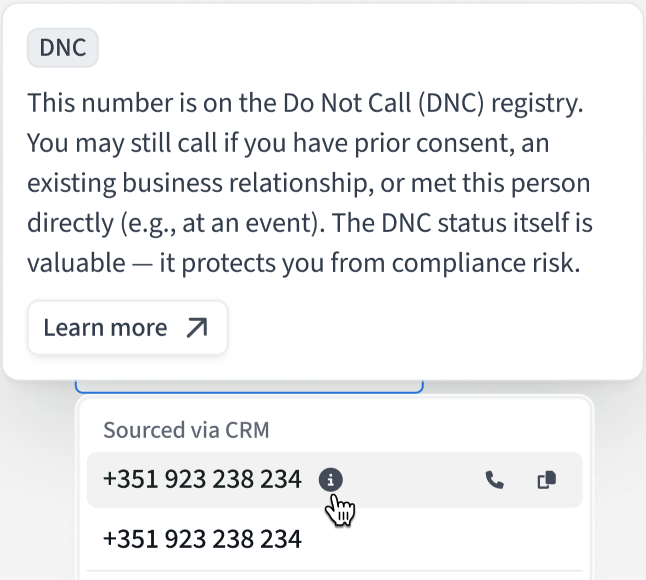
Detail Pages
Contact detail page
Duo Copilot prospect detail view
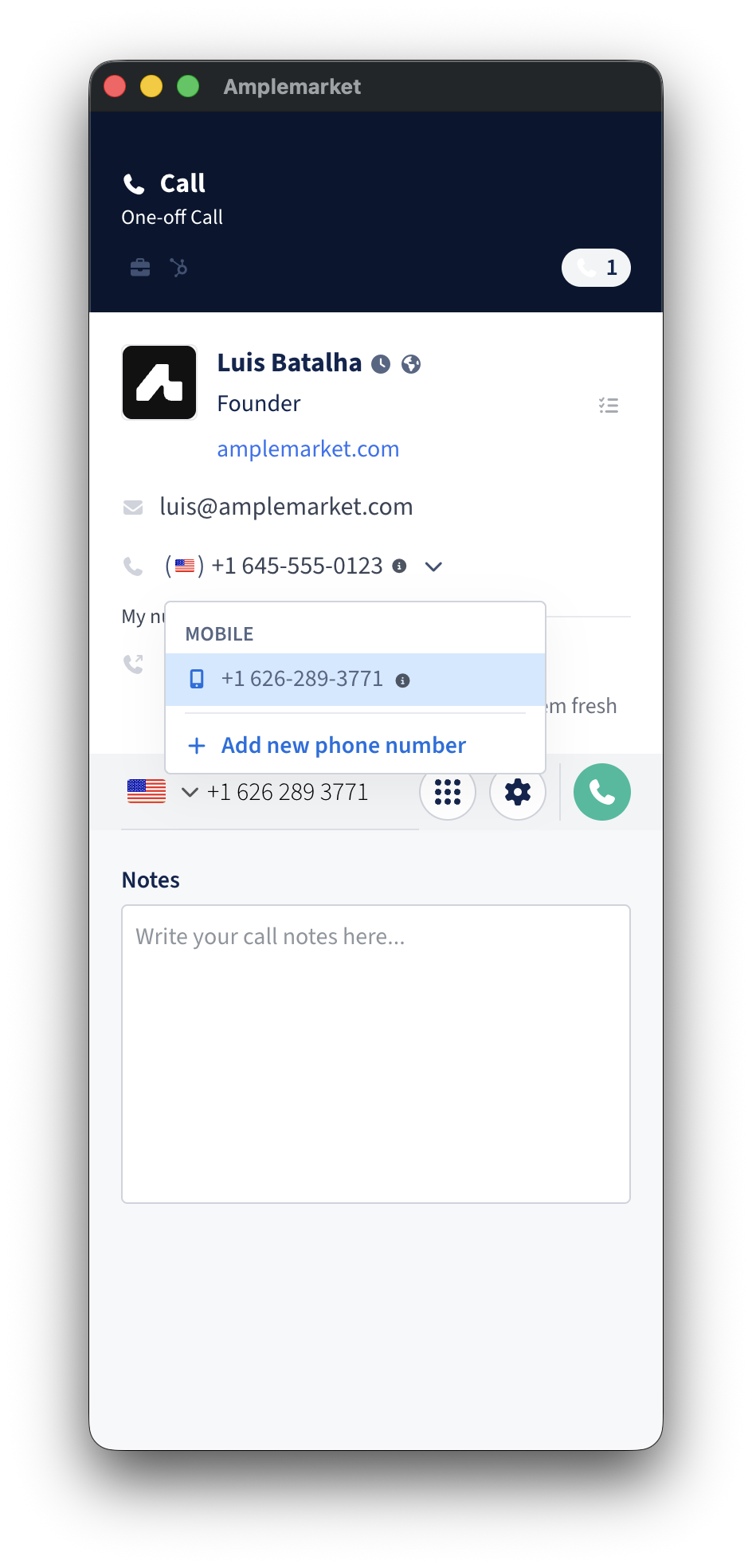
Dialer & Extensions
Dialer UI (before making a call)
LinkedIn Person detail (extension)
Other Locations
Calls list
CSV exports (see below)
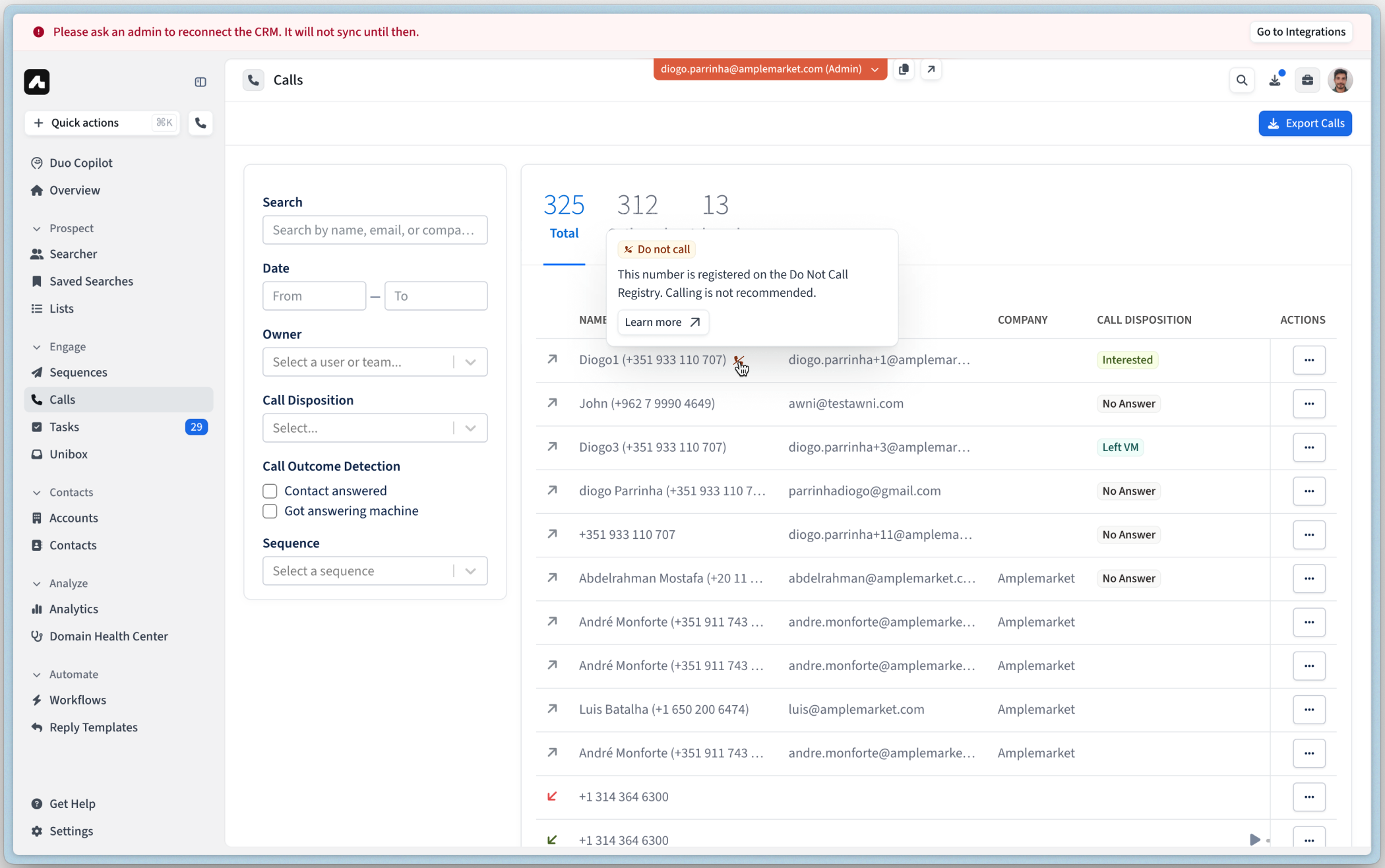
Understanding DNC Status and Credits
DNC checks are included at no additional cost. When you reveal a phone number in Amplemarket, the DNC status is automatically checked and displayed. The reveal itself costs credits as usual, but checking the DNC status does not consume any additional credits.
Important: DNC status is displayed after a phone number has been revealed.
DNC Status in CSV Exports
When you export contacts to CSV, DNC status columns are included automatically if:
DNC screening is enabled in your account settings, AND
You selected "Reveal phone numbers" in the export options
Export from Lists
Phone numbers appear in separate columns (mobile_number, mobile_number_1, mobile_number_2), with corresponding DNC status columns:
mobile_number_dnc_statusmobile_number_1_dnc_statusmobile_number_2_dnc_status
Each column shows:
On DNC Registry- Number is on the registryNot listed- Number is not on the registryNot applicable- Number from unsupported country (see Supported Countries section below)
Export from Searcher, Saved Searches, Contacts and Accounts
Phone numbers can contain multiple values separated by semicolons. DNC status columns use the following naming:
mobile_number_dnc_statusphone_number_dnc_statuswork_number_dnc_statussourced_number_dnc_statusmanually_added_number_dnc_status
Example: If mobile_number shows: +1 650-267-1996;+1 510-701-3728;+44 20 7946 0958
Then mobile_number_dnc_status shows: Not listed;On DNC Registry;Not applicable
Supported Countries
Currently, DNC screening is available for:
🇺🇸 United States (FTC National Do Not Call Registry)
Additional countries will be added in the future based on customer demand.
Frequently Asked Questions
Does Amplemarket block calls to DNC numbers?
No. We flag numbers to help you make informed decisions, but we do not automatically block calls. You can still dial DNC-flagged numbers if you choose (for example, if you have an existing business relationship with that contact).
What if a prospect asks me to stop calling during a call?
Individual opt-out requests are your responsibility to manage. Add these contacts to your exclusion list in Amplemarket under Settings → Exclusion Lists. Learn more about Adding Prospects to Exclusion Lists.
Does enabling DNC cost credits?
No. DNC checks do not consume reveal credits. DNC status is displayed after a phone number has been revealed. The reveal itself costs credits as usual, but checking the DNC status is included at no additional cost.
What's the difference between DNC Registry and my internal exclusion list?
DNC Registry: Government-maintained lists of numbers registered by consumers who don't want telemarketing calls
Exclusion List: Your internal list of contacts you've chosen not to contact (competitors, past clients who opted out, etc.)
Both are important for compliance and good outreach practices.
When should I use DNC screening?
If you make telemarketing calls, DNC screening helps you identify numbers that require valid exemptions before calling. This feature helps you make informed decisions and maintain good outreach practices. We recommend consulting with legal counsel for specific compliance questions.
Which DNC list does Amplemarket use?
Amplemarket checks phone numbers against the National Do Not Call Registry, maintained by the Federal Trade Commission (FTC). This is the official U.S. government registry where consumers can register their phone numbers to opt out of telemarketing calls.
What about third-party dialers?
If you export contacts to third-party dialers (like Salesfinity or Trellus), DNC tags are visible in Amplemarket but may not transfer to the third-party tool. Confirm with your third-party dialer whether DNC screening is available in their platform.