Migrating from Orum CRM Dialer to Direct Orum Integration
Last updated: November 5, 2026
This guide walks you through migrating from the Orum CRM Dialer integration through Salesforce or HubSpot to Amplemarket’s direct Orum integration.
1. Generate your Orum API key
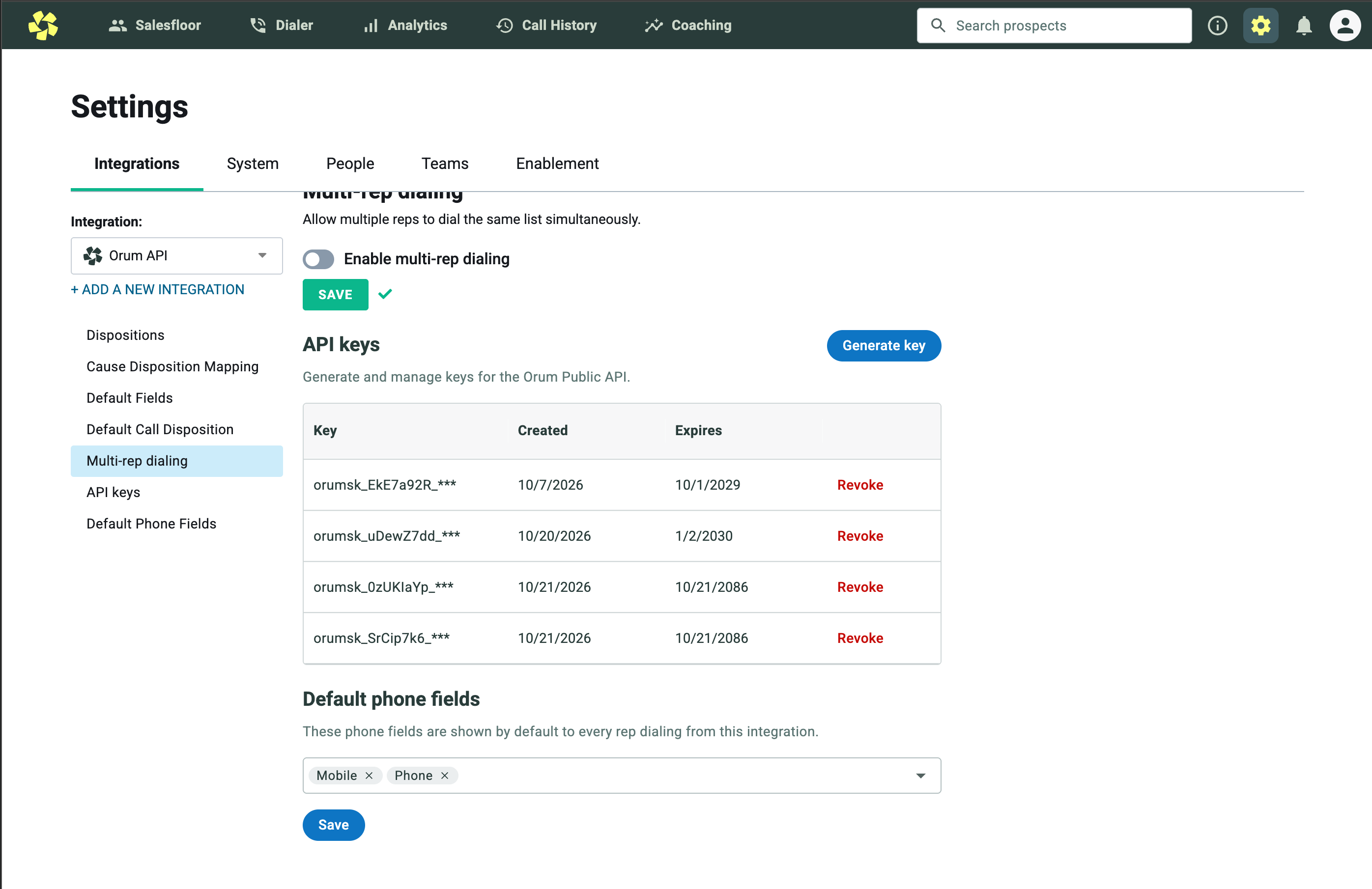
In Orum, open Settings → Integrations.
Select Orum API from the integration dropdown.
Open API keys, click Generate key, and copy the key for the Amplemarket setup.
Save the API key you won’t be able to see it again
2. Remove your CRM Dialer integration
We recommend doing this at the end of the working day to avoid disrupting your team.
Have users finish their calls and log their dispositions, then allow pending calls to sync before removing CRM Dialer.
Cleanup of the old lists and tasks in Orum may take time, so keep calling paused until the migration is complete.
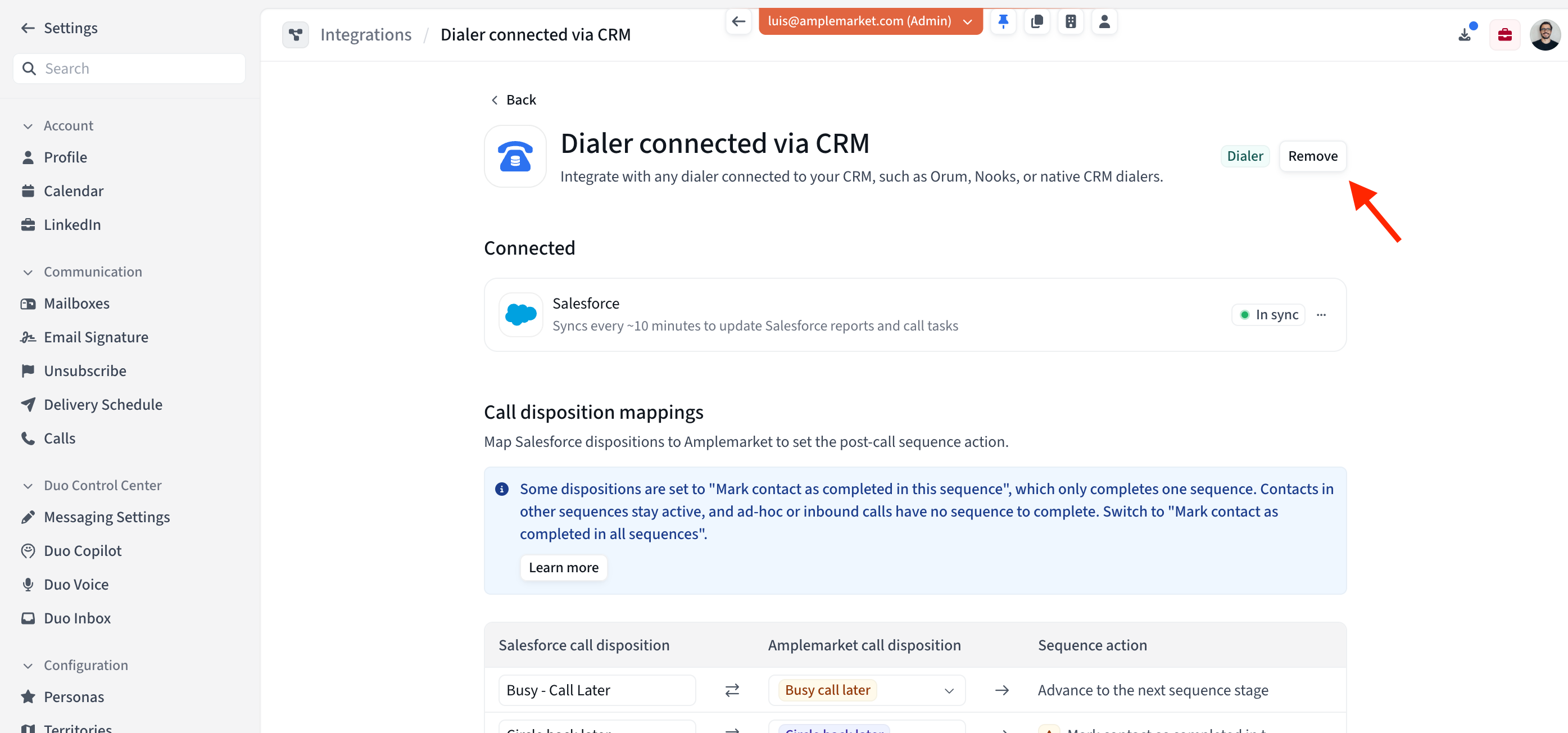
In Amplemarket, open your CRM Dialer settings and remove the integration.
Keep your Salesforce or HubSpot CRM connection.
Wait for the old dialer lists and tasks to disappear from the corresponding CRM tab in Orum.
3. Connect Orum directly to Amplemarket
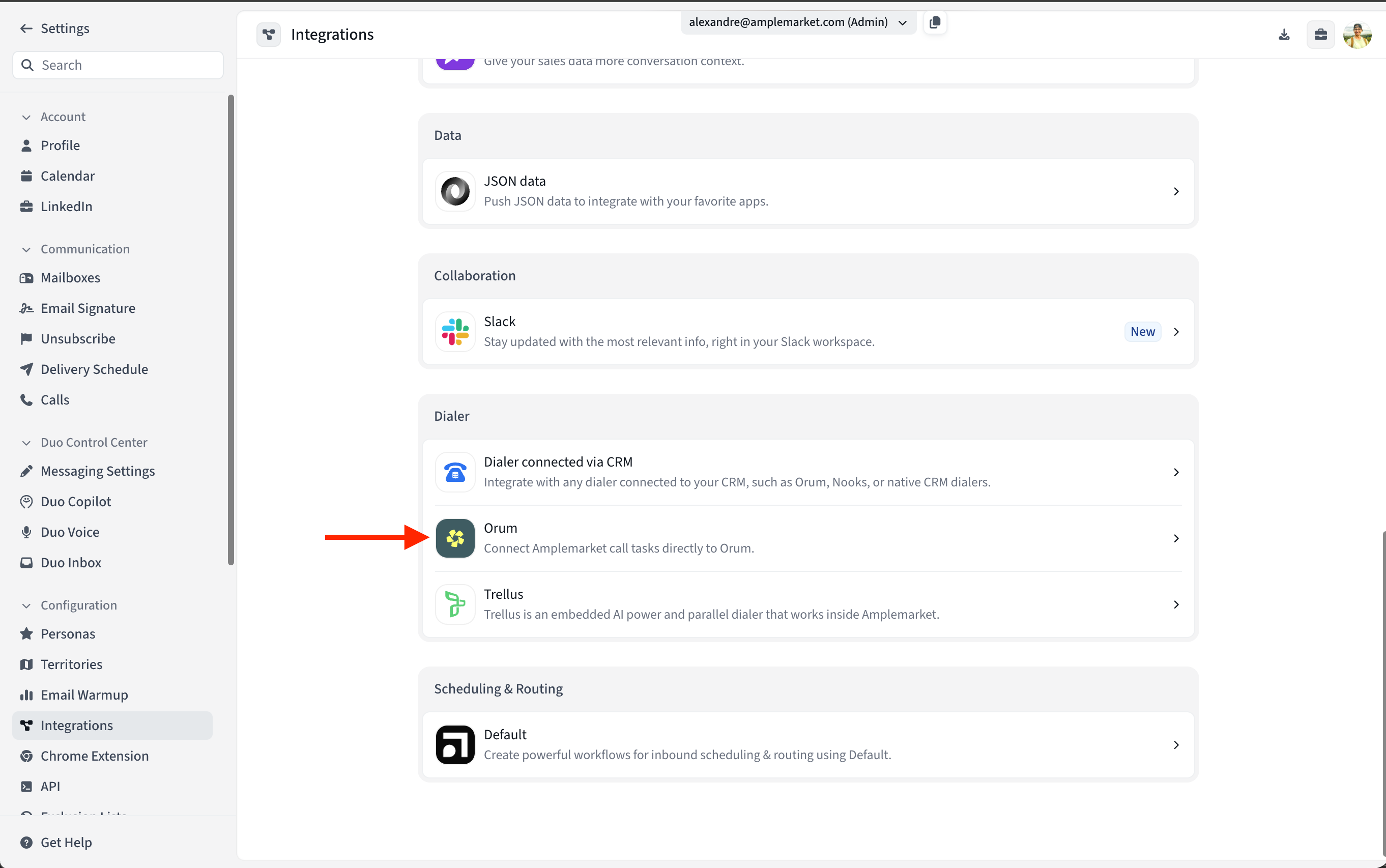
Open the Orum integration in Amplemarket, press Connect to enter the API Key.
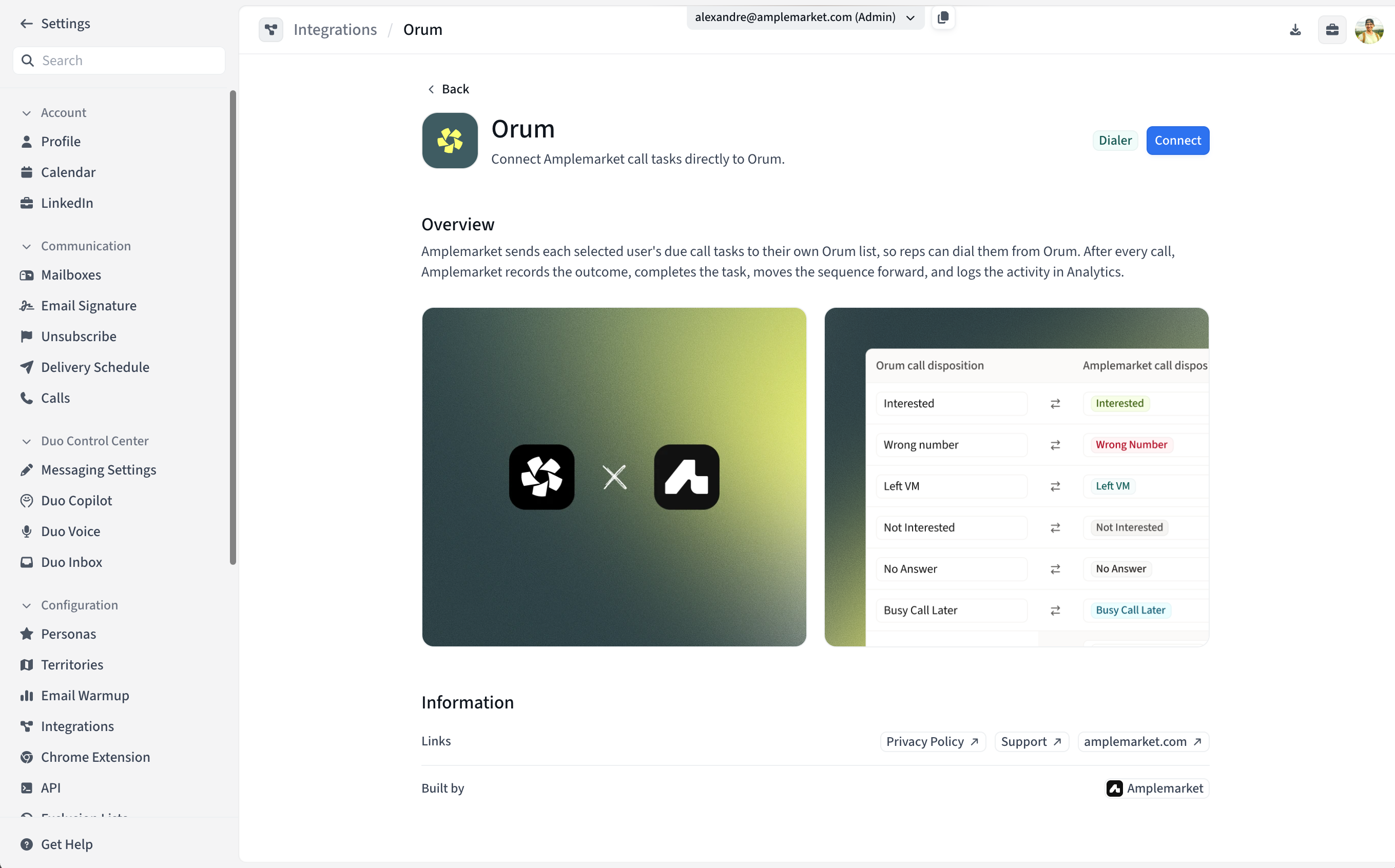
Configure disposition mappings
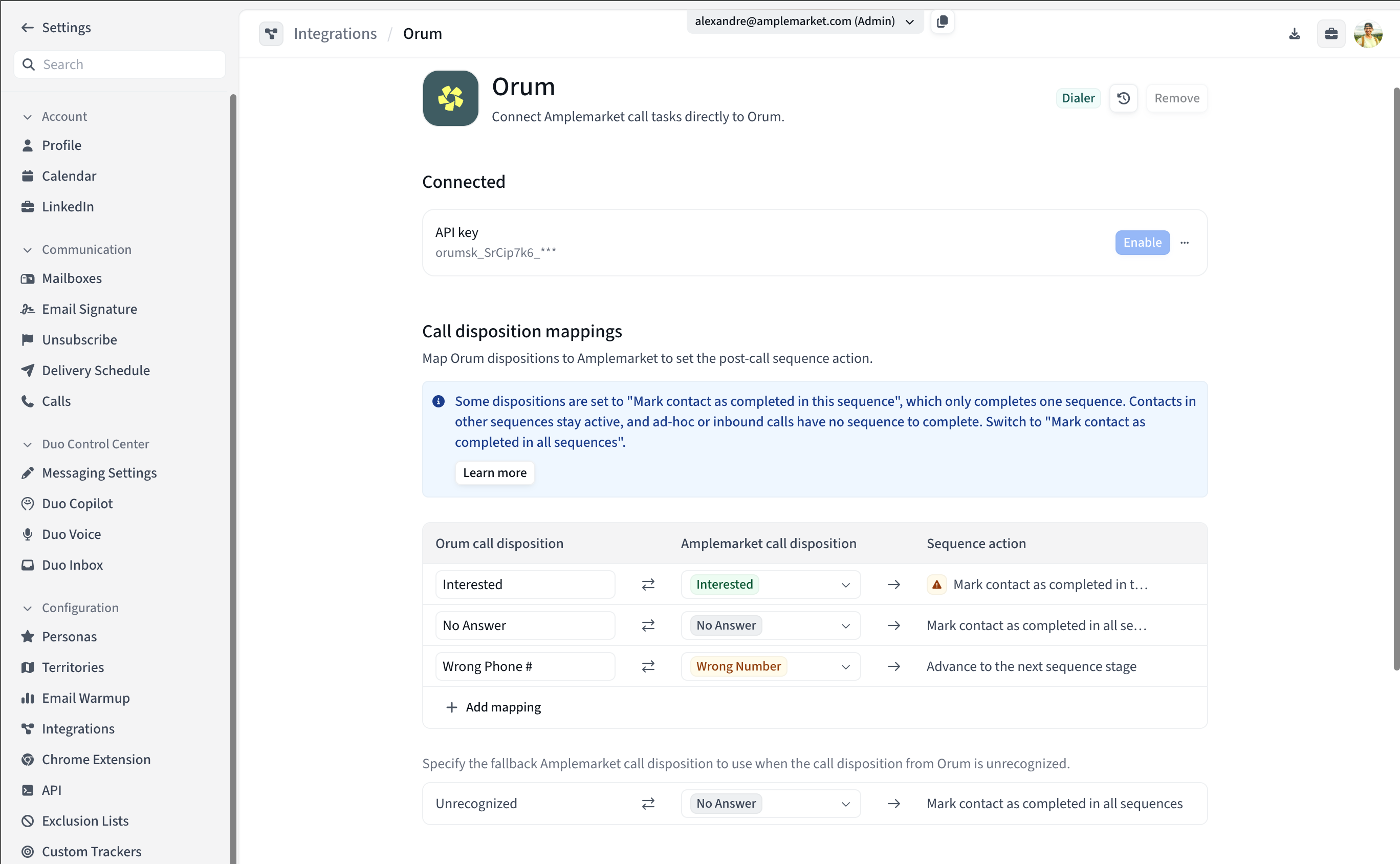
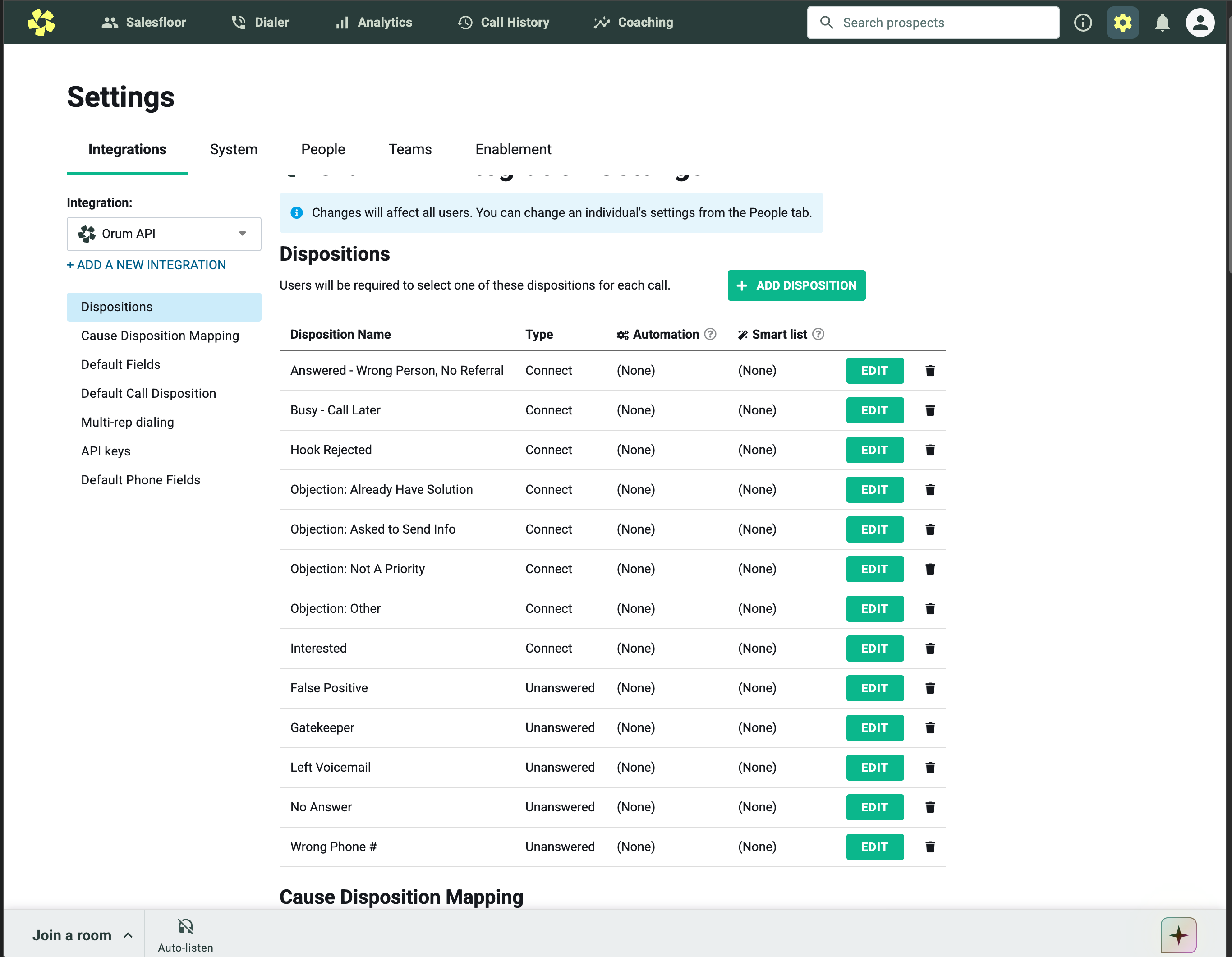
Make sure the configure the configured dispositions match what you have in Orum on the Orum API Integration Settings Dispositions section
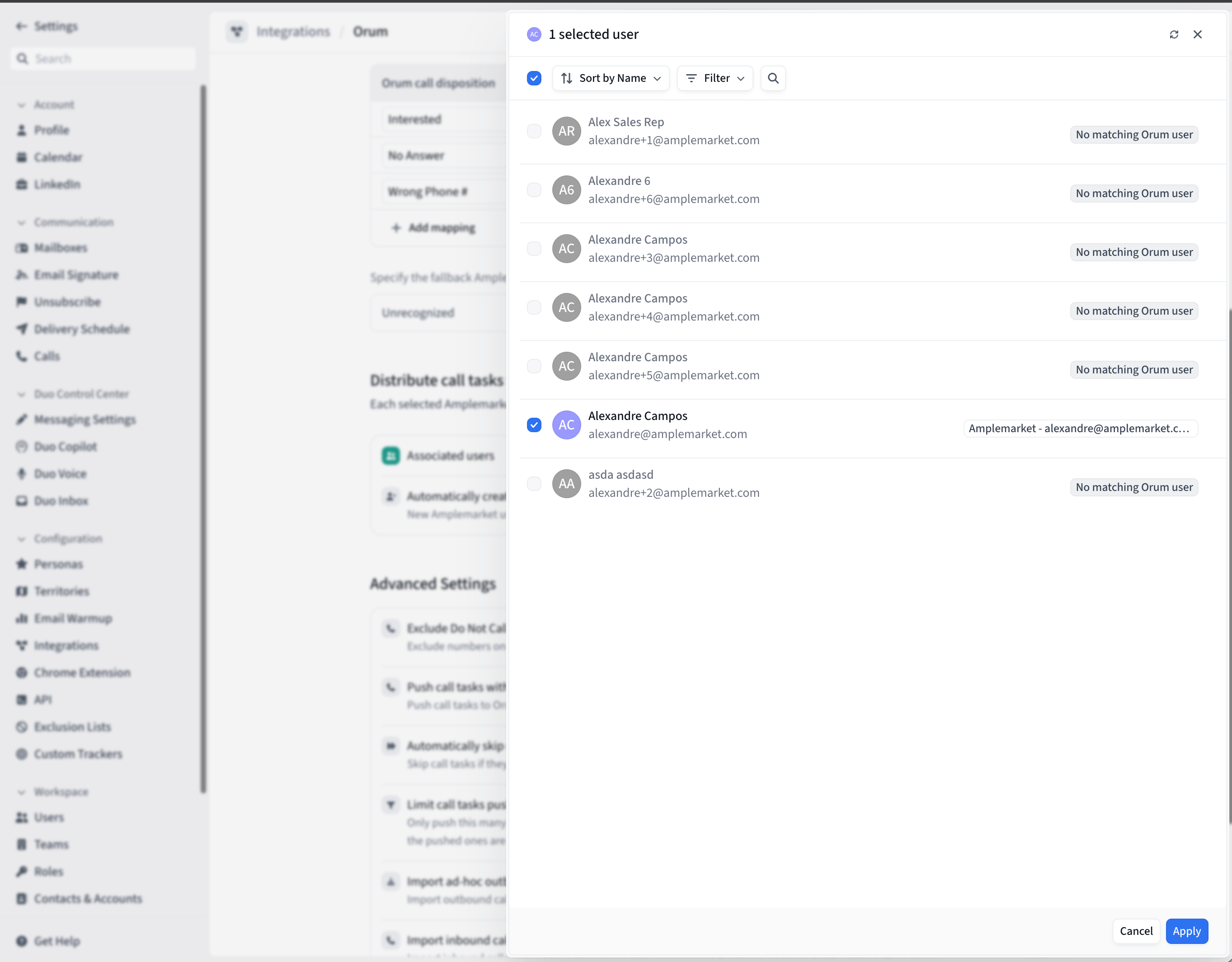
Select and enable the users who will use Orum.
Finally, Enable the Integration
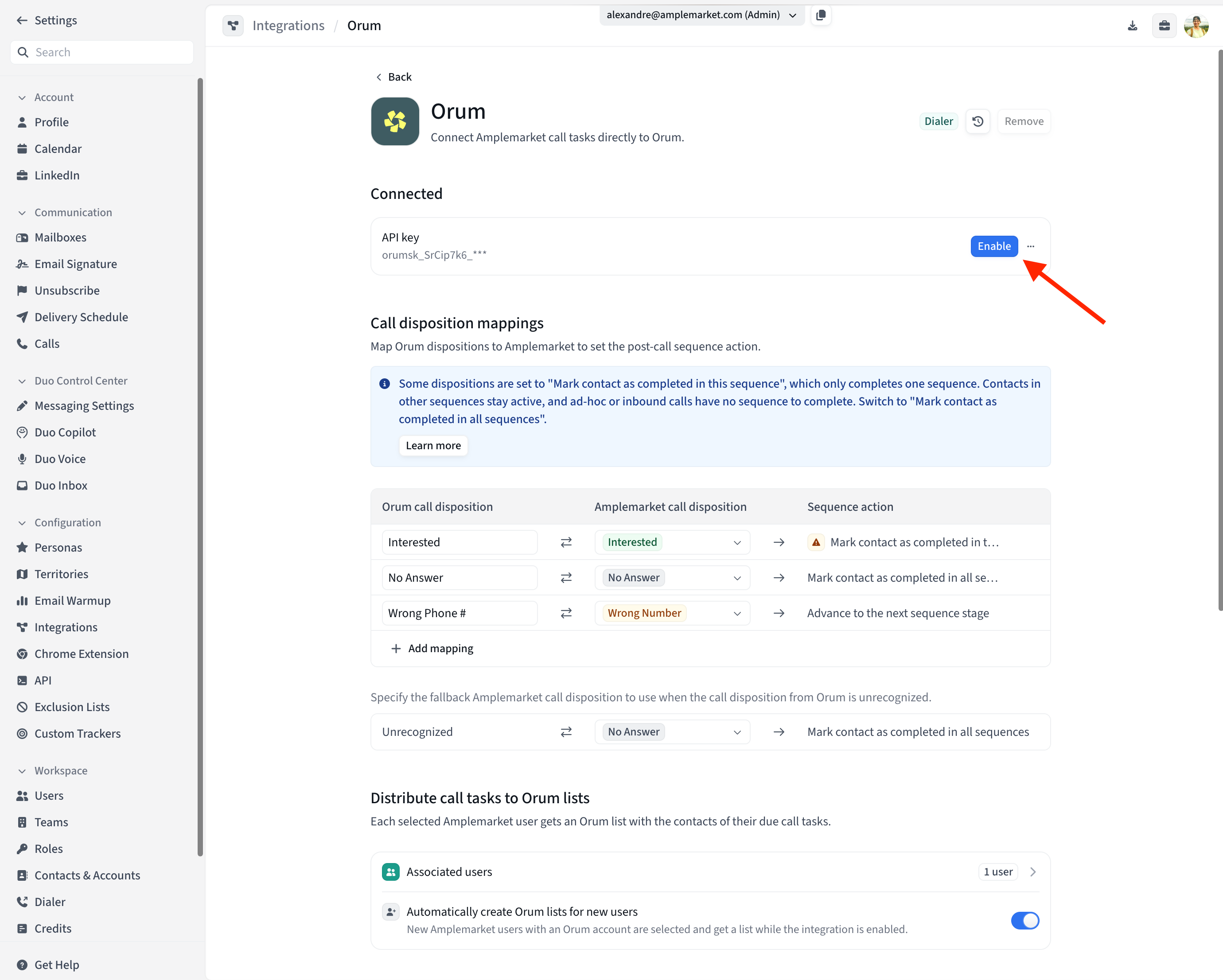
Amplemarket will now create a list for each enabled user and push their due call tasks to Orum.
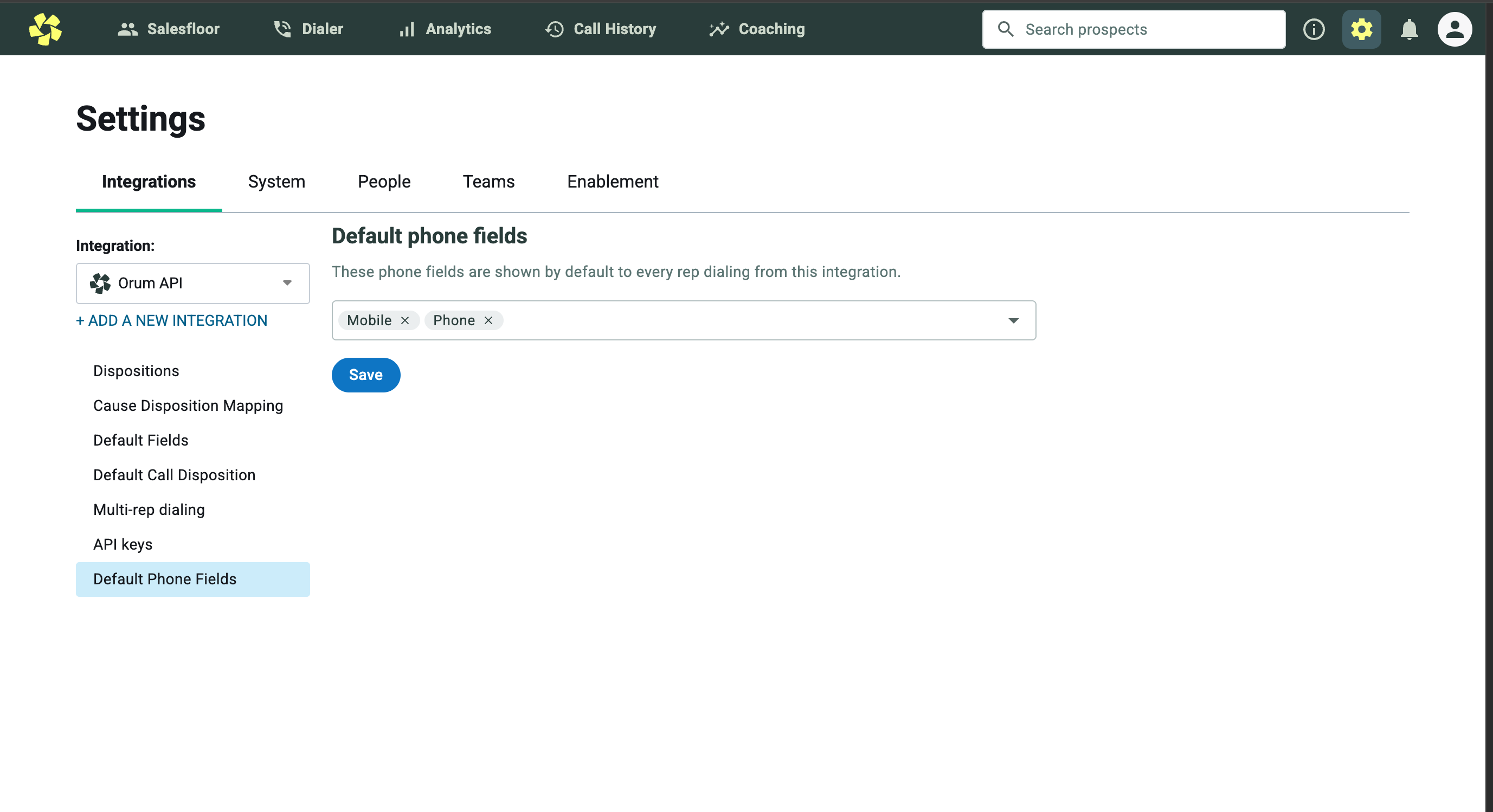
4. Configure the default phone field in Orum
Return to Settings → Integrations → Orum API.
Under Default phone fields, select Phone and click Save.
This makes the phone field populated by Amplemarket available by default to reps using the integration.
5. You’re ready to make calls
Open Orum’s dialer and select the direct-integration tab.
Choose
Amplemarket - <your email>.Under Phone fields in the dialer’s left sidebar, make sure Phone is selected
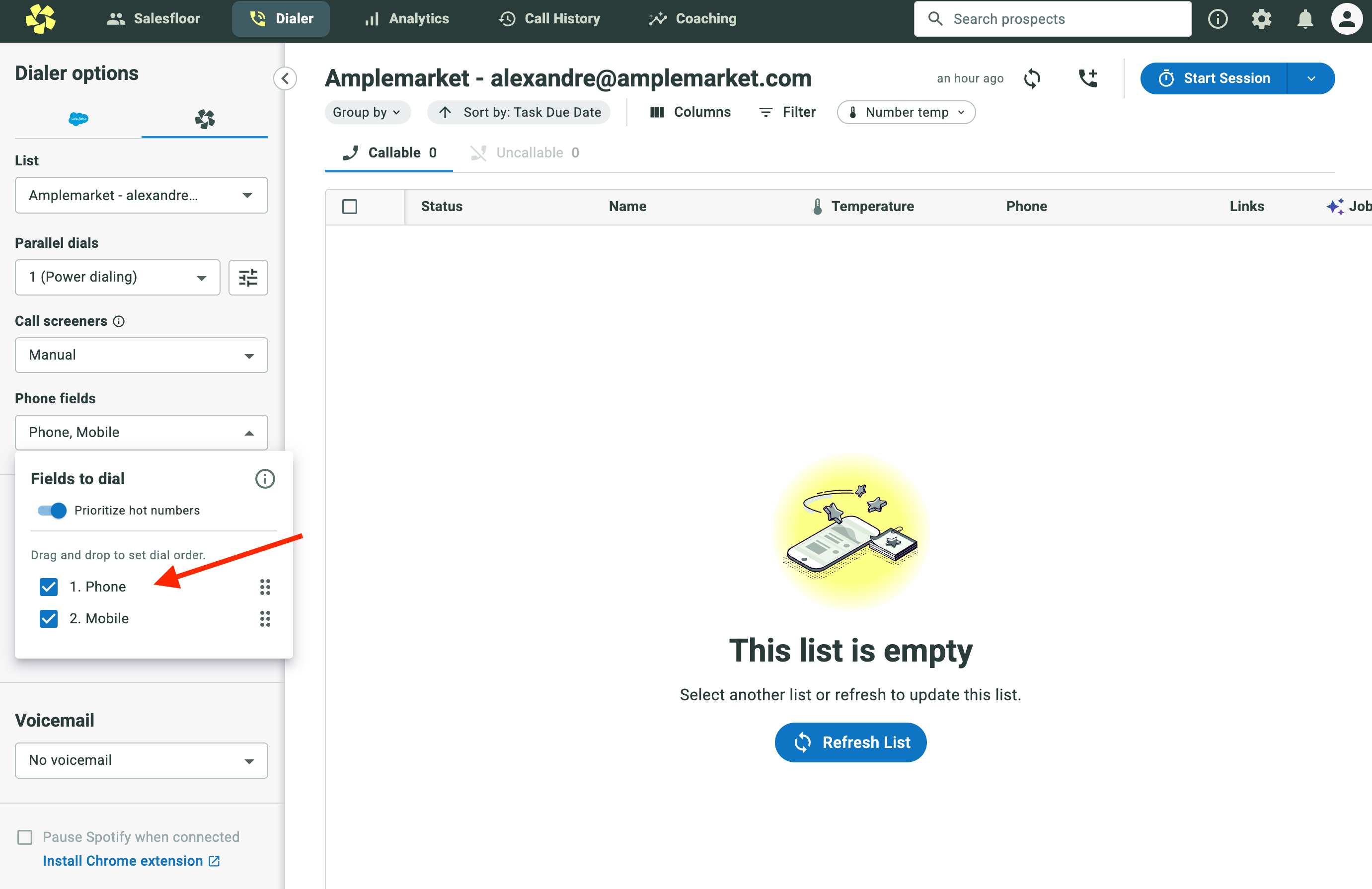
Your eligible due tasks will appear in this list. You can now call from here and log dispositions as usual.