About AI Snippets
Last updated: June 4, 2026
AI Smart Snippets transform static email templates into dynamic, personalized messages with minimal manual effort.
Instead of relying solely on merge fields such as {{title}} or {{company_name}}, AI Smart Snippets generate fully customized content for each lead at the moment an email is sent.
Each snippet uses:
Your prompt
Lead and company data
Amplemarket context
... to generate content that feels relevant, natural, and aligned with your messaging.
Example:
Let’s say you could write this in your email:
{{ai_opener}} → “Write a short, friendly opening line mentioning {{company_name}}’s latest product or milestone.”
When your sequence runs:
For Sarah from Acme, it might generate:
“Congrats on Acme’s new analytics release — looks like a big step forward!”
For Tom from GreenTech, it might generate:
“Saw GreenTech just opened its Berlin office — exciting to see the expansion!”
Each line feels personal but you only had to write the prompt once.
Benefits
Scale personalization: Generate unique messaging for every prospect without manually researching each account.
Improve email quality: Create context-aware messages that feel more natural than static templates.
Increase engagement: Personalized emails help improve relevance and reduce repetitive messaging patterns.
Save time: Allow reps to focus on conversations and pipeline generation instead of writing manually custom copy.
Where you can use Smart Snippets
Smart Snippets can be used in sequence emails stages.
One Smart Snippet can be added per email stage.
AI Credits are required to generate Smart Snippet content.
If you're unsure whether your plan includes AI Credits, contact your Account Manager or Support team.
How it Works
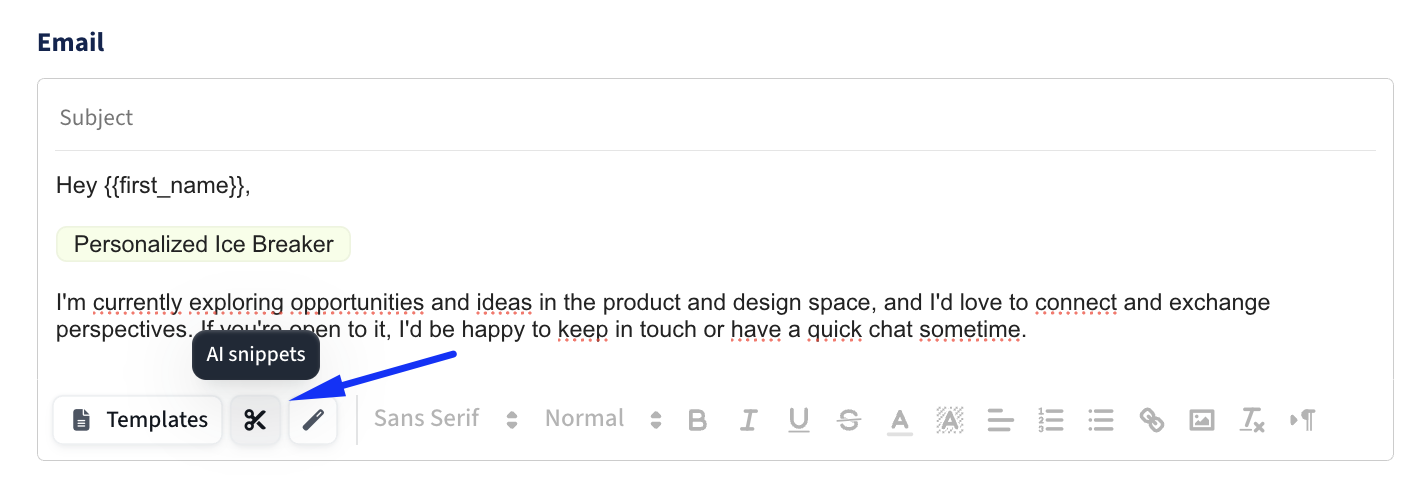
1. Add a Smart Snippet
Insert a Smart Snippet directly from the email editor.
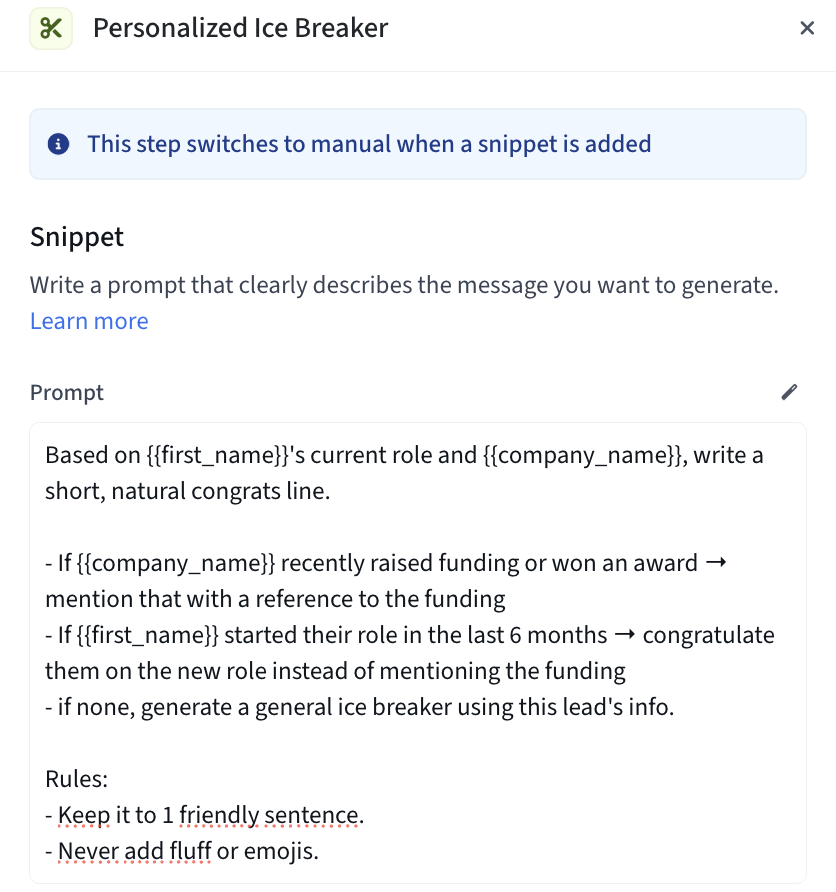
2. Define a Prompt
Your prompt tells the AI what content to generate.
Example:
Write a short, friendly opener referencing {{company_name}}’s recent product launch.
Prompt Guidelines
Dynamic fields such as {{first_name}}, {{company_name}}, or {{title}} can be referenced in the prompt.
Any field referenced must exist on the lead record. If a referenced field is unavailable, the system will use your fallback message instead.
Clear, specific prompts generally produce better results.
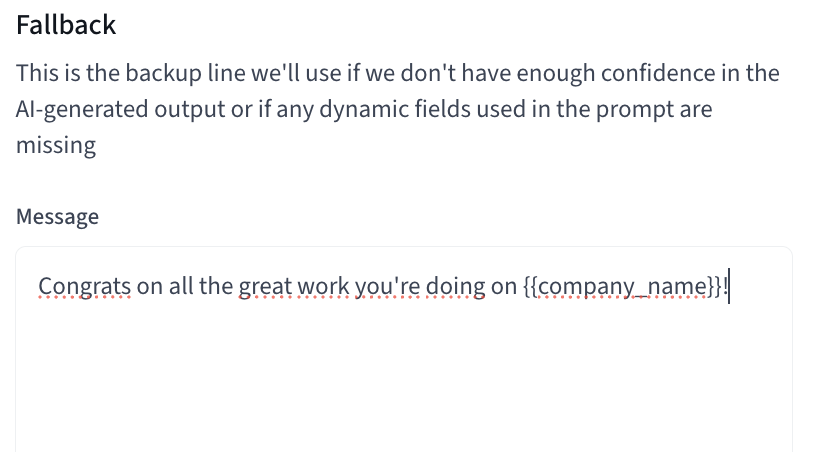
3. Define a Fallback Message
Fallback messages are displayed when the Smart Snippet cannot generate content.
This may happen when:
Required lead data is missing
No relevant context can be found
The generated output does not meet confidence thresholds
Best Practice: Write your fallback exactly as you would write the message if Smart Snippets were not available.
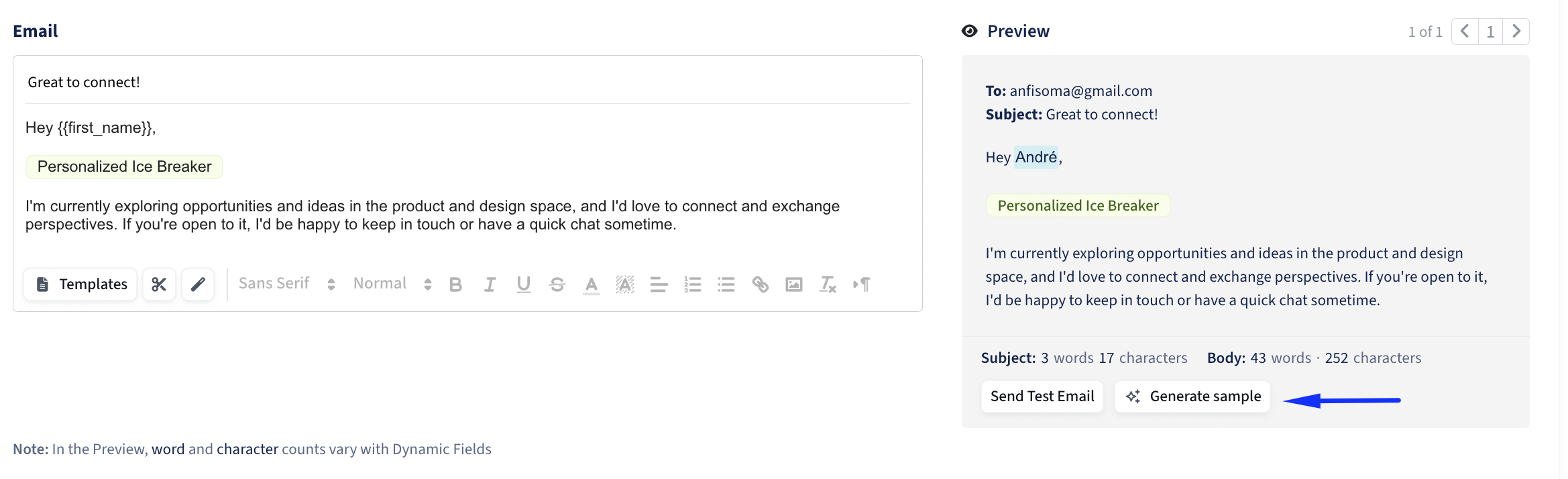
4. Test Your Output
After creating an AI Snippet, you'll see an option to Generate Sample in your message preview. This is the best way to validate tone, quality, and fallback behavior before launching a sequence.
Reusability and Linked Snippets
Smart Snippets are reusable assets that can be shared across multiple sequences.
Important: Changes made to a Smart Snippet apply everywhere that snippet is used.
Example: If a Smart Snippet is updated in Sequence A, the same update will immediately apply to Sequence B.
Before editing a shared snippet, verify whether it is being used elsewhere.
Prompt Best Practices
The quality of your Smart Snippet depends largely on the quality of your prompt.
Best Practices
Provide 2–3 examples of the type of content you want generated.Examples help the model understand: Tone, Structure, Vocabulary, Length
Start Small. Focus on personalizing a single section of the email:
Opening lines
Hooks
P.S. statements
Shorter snippets are generally easier to control and produce more consistent results.
Combine Instructions with Lead Data: Use dynamic fields inside your prompt. This gives the model structured information to personalize against:
{{first_name}}
{{company_name}}
{{industry}}
{{title}}
or custom dynamic fields you import from a CSV import or your CRM.
Always Preview: Review outputs across multiple leads before activating a sequence. Previewing helps identify: tone inconsistencies, missing data issues, mitigate fallback scenarios.
What Smart Snippets Can Use as Context
At generation time, Smart Snippets may use:
Email Content: The body of the email stage to maintain consistency with the surrounding message.
Lead Information, including:
Name
Job title
Location
Current company
Previous experience
Education
Company Information (industry, size, funding, etc)
Messaging Settings (your configured tone, positioning, and value propositions)
Public Web Context
Relevant public information (funding announcements, awards, news mentions, etc)
Dynamic Fields
Prompt Examples
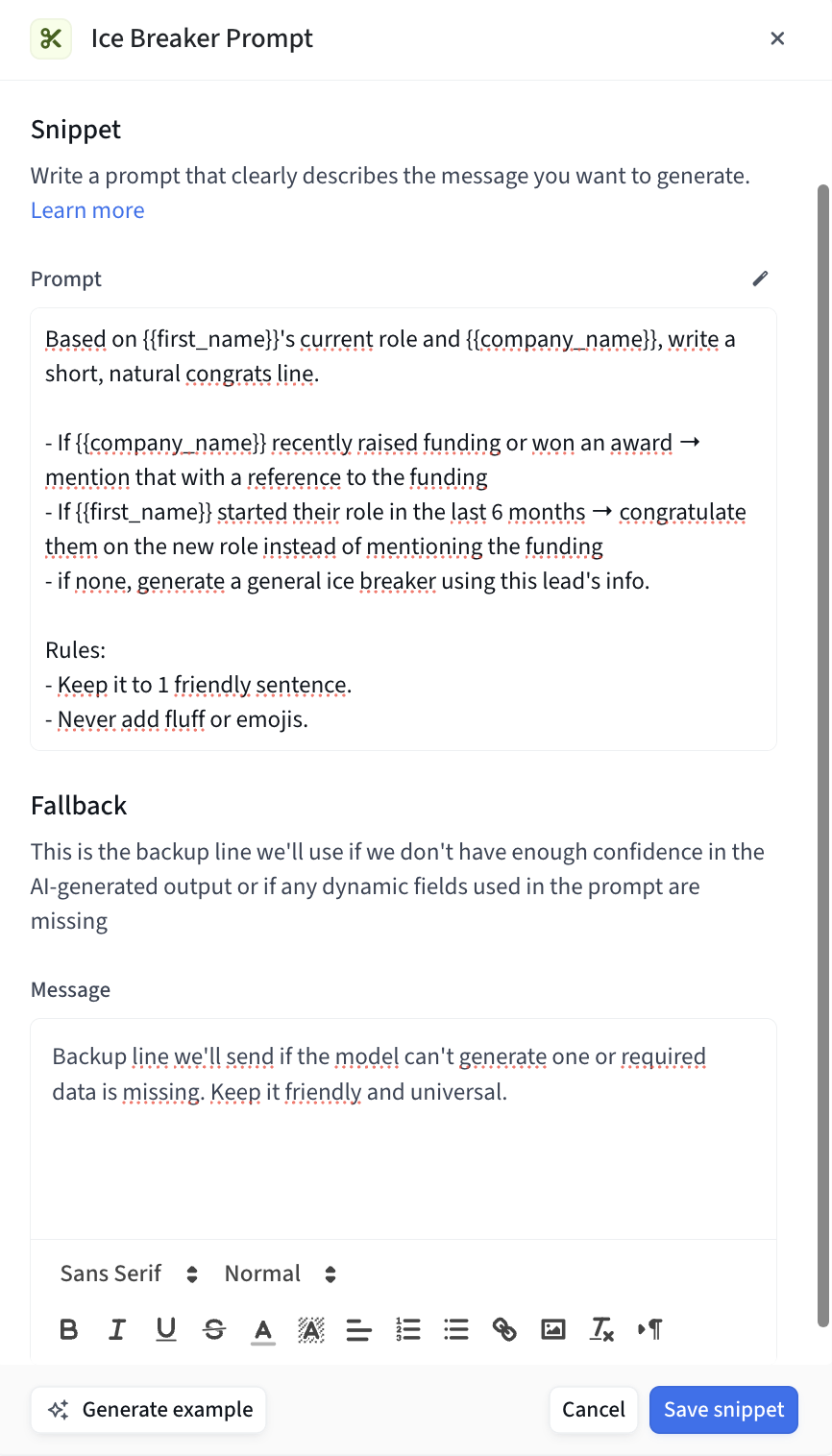
1. Ice Breaker Prompt
Prompt:
“Based on {{first_name}}’s current role and {{company_name}}, write a short, natural congrats line.
If {{company_name}} recently raised funding or won an award → mention that with a reference to the funding.
If {{first_name}} started their role in the last 6 months → congratulate them on the new role instead.
If none, generate a general ice breaker using this lead's info.
Rules:
Keep it to 1 friendly sentence.
Never add fluff or emojis.
Example outputs:
“Congrats on the recent funding round — looks like things are moving fast at Acme!”
“Saw you joined Acme recently — exciting time to be scaling the team.””
Fallback:
“Hope things are going well at your end — sounds like an exciting time for the team.”
2. Break-Up Email P.S. Line
Prompt:
“Write a short, personal P.S. line to add at the end of a break-up email.
Use {{first_name}} and {{company_name}} info.
Rules:
Keep it under 15 words.
Make it sound casual, human, and lightly personal (not pushy).
Don’t repeat the main CTA of the email.
Example outputs:
“P.S. Always enjoyed seeing how Acme approaches new product launches.”
“P.S. Hope things are going well at Acme this quarter — sounds like a busy one.””
Fallback:
“P.S. Wishing you a strong finish to the quarter — hope everything’s going smoothly.”
3. Company Compliance Mention
Prompt:
“Check if {{company_name}} has compliance certifications (SOC2, HIPAA, ISO, GDPR).
If yes: mention them briefly in one natural sentence, linking to why they matter in {{industry}}.
If no: fall back to a neutral compliment about the company’s operations or reliability.
Keep it professional, under 20 words.
Example outputs:
“Noticed Acme is SOC 2 certified — makes total sense given your enterprise focus.”
“Always impressed by how Acme emphasizes reliability in fintech.””
Fallback:
“Your team’s focus on security and reliability really stands out in today’s market.”