Overview: Make HTTP Request Sequence Stage
Last updated: September 12, 2025
Beta Feature — Gradual Rollout
The HTTP Request stage is currently in beta testing and being rolled out gradually. If you don’t see it yet in your account, sit tight — it’ll be available soon.
What it is
The HTTP Request stage is like a little messenger you can drop anywhere in your Sequence.
When a lead reaches this stage, Amplemarket can send a quick signal to another tool — your Zapier, Sendoso, Slack or any third-party app that listens to an API.
Think of it as your secret trigger for creative, multi-channel plays as: “When this happens in my Sequence, tell that system too"
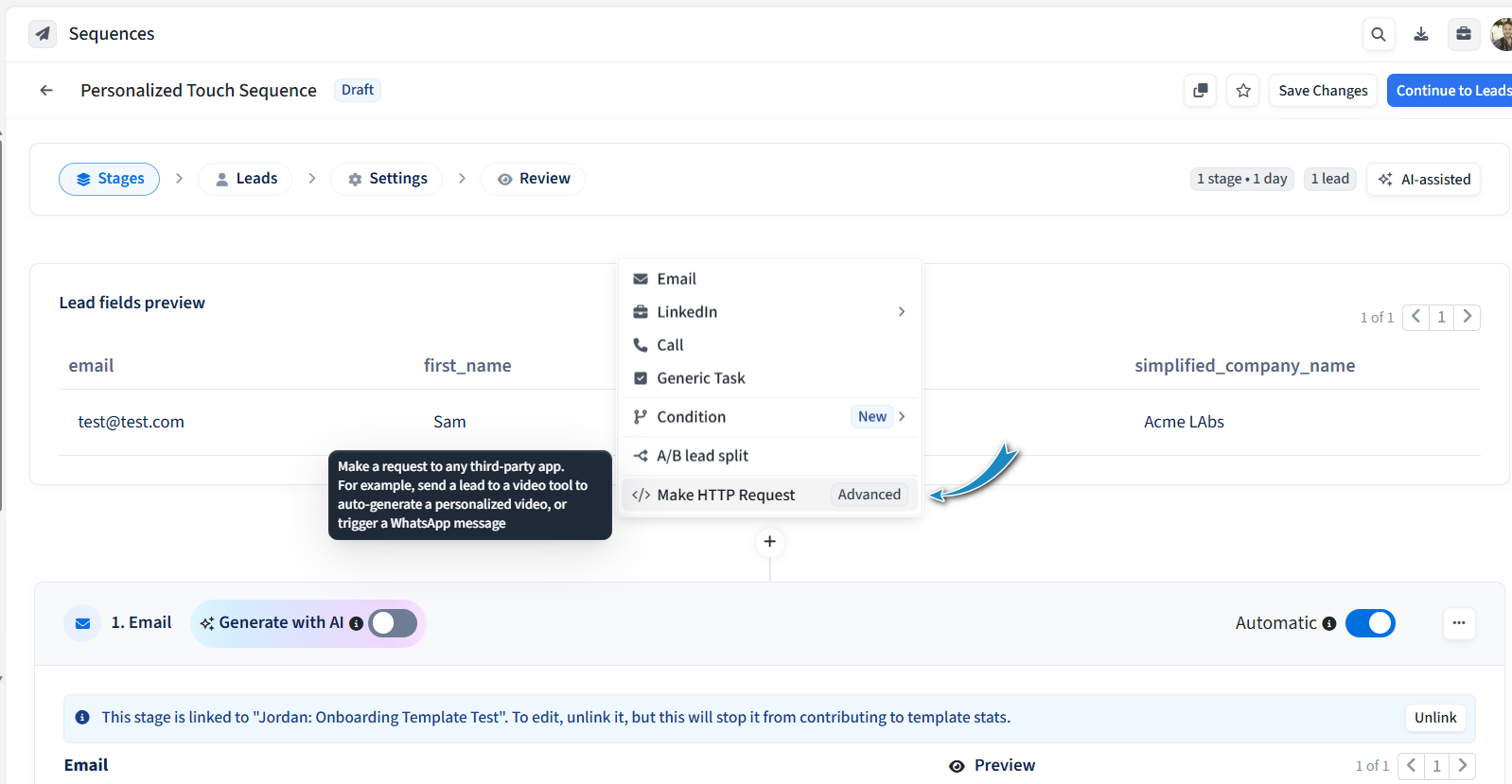
Why you’d use it & popular use-cases
This stage is a flexible connector that lets you design creative, multi-channel strategies directly inside your Sequences.
Here are some of the most popular ways sales teams might use it:
Kick things off with a personal touch → Add the stage right at the start of your Sequence. When a lead enters, send their info to a dynamic video platform like SendSpark. SendSpark automatically generates a highly personalized video you can later drop into your outreach steps — making your very first touch stand out.
Delight mid-Sequence with gifts → If a lead hasn’t replied yet, place an HTTP Request stage in the middle of your Sequence to trigger a Sendoso campaign. For example, send a small gift or coffee voucher. A few days later, follow up with an email: “Hope the treat brought a smile to your day! When would be a good time to connect?”
Branch intelligently between Sequences → Use the HTTP Request stage to tap into the Amplemarket Sequences API. You can automatically re-route leads depending on what happens. For example:
If a lead doesn’t accept a LinkedIn connection request, move them into a follow-up Sequence.
If a lead doesn’t have an email address, enroll them into a LinkedIn-only Sequence.
Stay connected across your tools → Beyond these plays, you can use HTTP Requests to alert teammates in Slack, or trigger automations in Zapier — all at exactly the right time.
The result: instead of chasing leads manually, you can let your Sequence do the heavy lifting, while still feeling human and perfectly timed.
How it feels in action
Here’s what happens when you add an HTTP Request stage to your Sequence:
A lead reaches this stage.
Amplemarket prepares a small HTTP request
That request is sent to the third-party tool you’ve defined
If the receiving system says “all good” ✅, the lead moves on to the next step in your Sequence
If not ❌, the lead is marked as http_request_failed so you know the action didn’t go through. By default, the Sequence will stop for that lead — but you can change this in the advanced sequence settings and choose to continue with the lead instead.
Do I need to be technical to use it?
The short answer: yes, this stage requires some technical know-how.
If you’re comfortable working with URLs, headers, and placeholders, head over to the Setup & Technical Details article to learn exactly how to configure the stage and understand its limitations.
If this isn’t your area of expertise, no problem. Start with our Recipes for HTTP Request Stage to see practical examples sales teams love using, and share the setup article with someone technical on your team (for example, RevOps or SalesOps) to help you bring those creative plays to life.