Duo Copilot Analytics: Lead statuses explained
Last updated: October 20, 2026
TL;DR
In the Duo Copilot Analytics dashboard, you can follow what happens to every lead your agents find. Each lead has a status that shows where it is:
- Pending action: in the rep's feed, waiting to be reviewed
- Sequenced: added to an email sequence
- Pushed to CRM: exported to Salesforce or HubSpot
- Added to List: saved to a list
- Dismissed: rejected by the rep
- Stale: expired without any action
Viewing lead statuses in Analytics
Go to Analytics → Duo Copilot to see your team's performance. In the breakdown table, click Leads Generated to see each lead and its current status.

Status definitions
Pending action ⏳
The lead is in the rep's Duo Copilot feed but hasn't been acted on yet.
What this means: the rep can still review the lead and act on it.
Sequenced 📧
The lead was accepted and added to an email sequence.
What this means: outreach has started. The lead is being contacted through automated email steps.
Pushed to CRM 🔄
The lead was accepted and exported to your connected CRM (Salesforce or HubSpot).
What this means: the lead is now in your CRM for tracking and follow-up outside Amplemarket.
Added to List 📋
The lead was accepted and saved to a list.
What this means: the rep chose to save the lead for later instead of reaching out right away.
Dismissed ❌
The rep reviewed the lead and rejected it.
What this means: the rep decided the lead wasn't a good fit. See Duo Copilot Dismisses Explained for dismiss reasons and how they affect future recommendations.
Stale ⌛
The lead expired without any action.
What this means: the lead sat in the feed too long and was removed automatically. Leads become stale after 14 days without any action.
Autopilot vs. manual actions
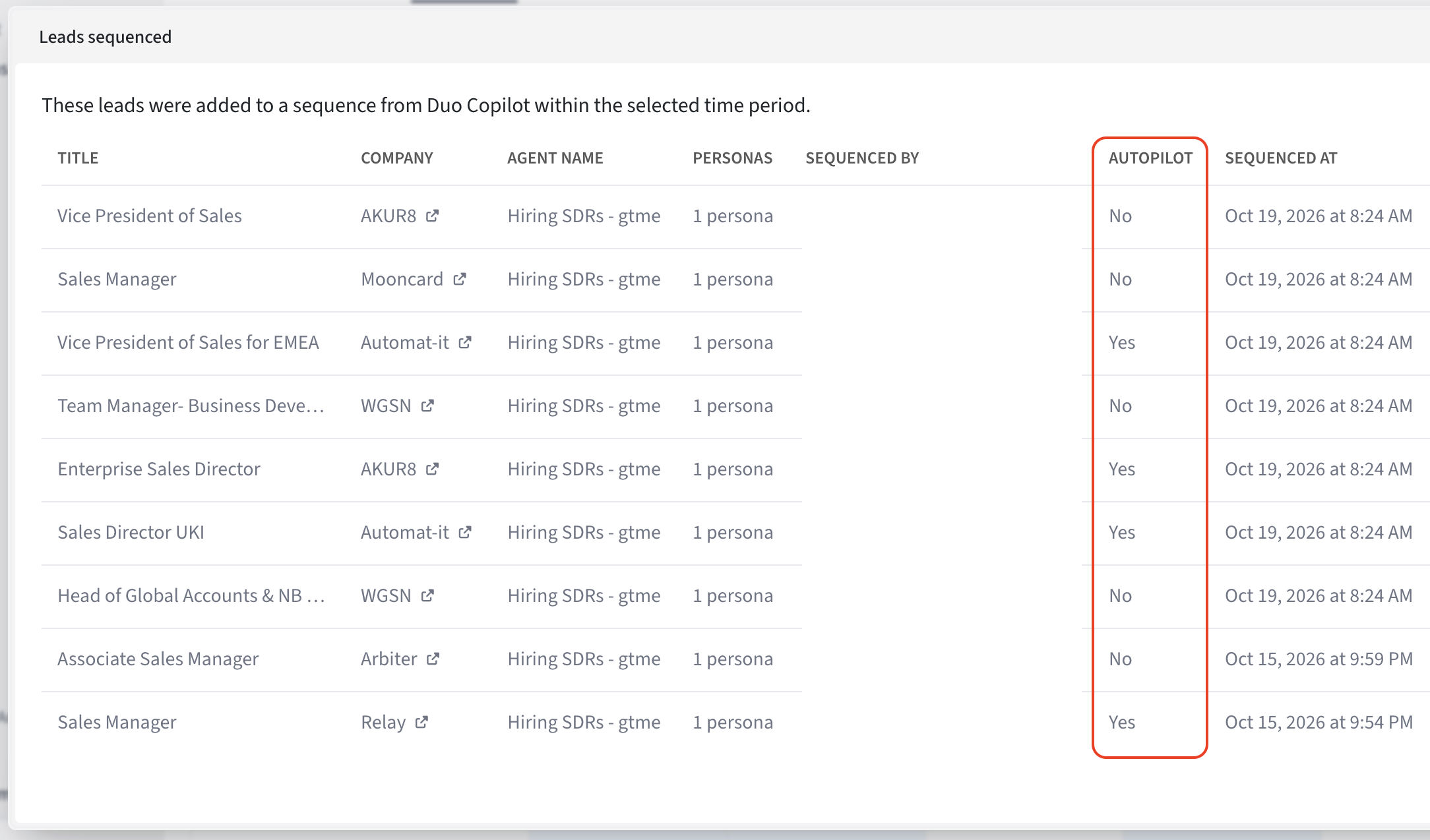
In the Leads Sequenced and Leads Actioned drilldowns, you'll see an Autopilot column:
| Autopilot | Meaning |
|---|---|
| Yes | The agent's autopilot sequenced this lead automatically |
| No | A rep reviewed and accepted this lead |