Open tracking in Gmail and Outlook
Last updated: September 24, 2026
Overview
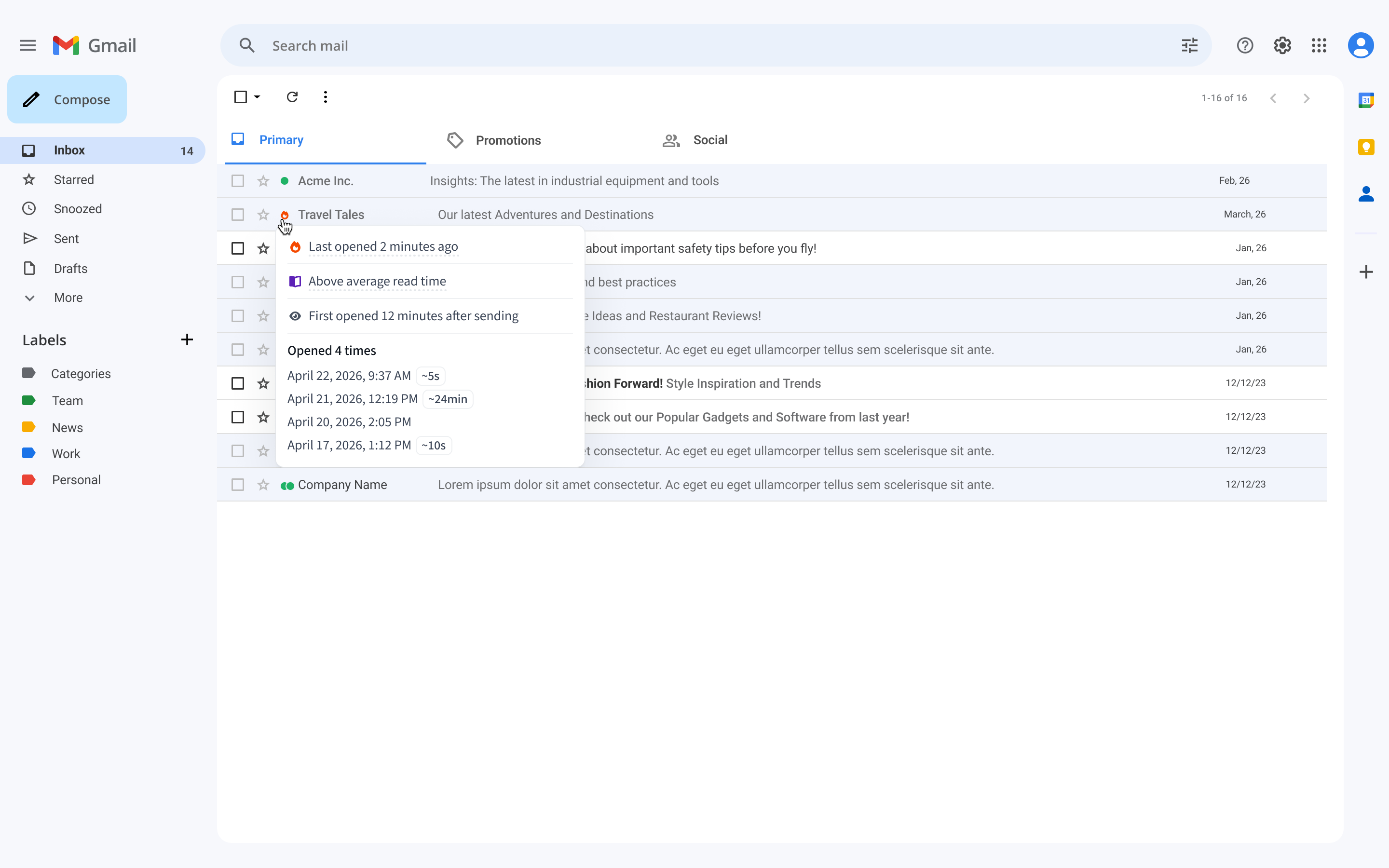
Open tracking indicators are now visible directly in Gmail and Outlook. When a prospect opens your email, you can see it right in your inbox without switching to Amplemarket.
Where it works
Gmail
Gmail inbox
Outlook
Requirements
Extension
v5.10.2or aboveDon't have the extension yet? Download it here
Learn more about the Amplemarket extension here
What the indicators mean
When multiple conditions apply, only one indicator is shown at a time, with the following priority order.
Priority | Indicator | Meaning |
1 | 🔥 | Opened within the last 60 minutes |
2 | 🟢🟢 | Opened multiple times in lifetime |
3 | 🟢 | Opened once |
4 | No indicator | Not opened or no data available |
How it works
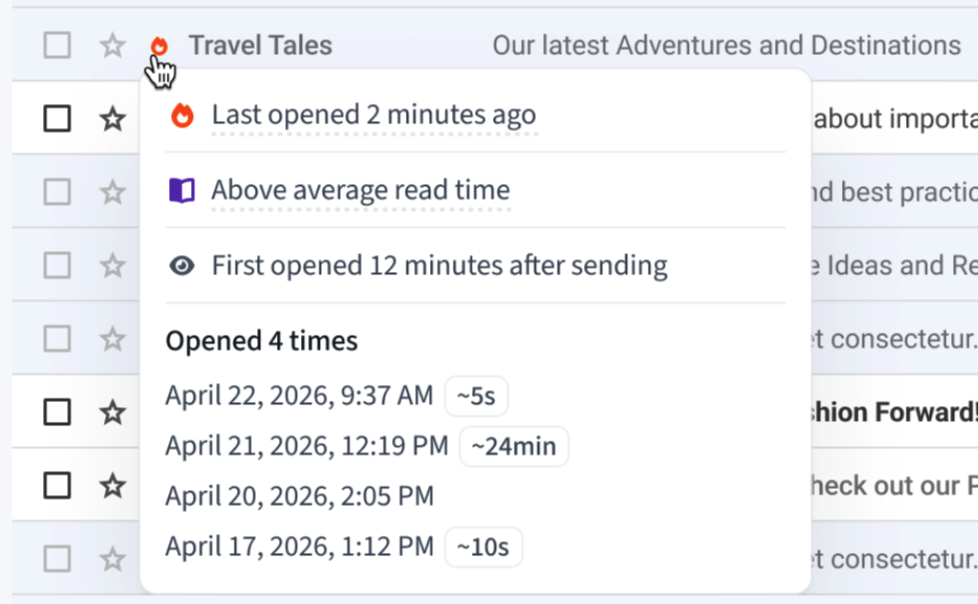
The indicator appears directly on the email row in your inbox. Hover over the indicator to see the full detail, a list of every open event with its timestamp.
Why the 60 minute window matters
The 🔥 indicator appears when a prospect opens your email within the last 60 minutes. Research shows that following up quickly after an open significantly increases your chances of a response. Lead response time studies show that speed to follow up has a direct impact on conversion, with the advantage falling off sharply after the first hour (Teamgate, Chili Piper).
Things to know
Indicators are also visible in Unibox and other surfaces for consistency
Open tracking only works for emails sent via Amplemarket with tracking enabled
Outlook support is limited to Outlook in the browser via Chrome. The Outlook desktop app is not supported
FAQ
Why do I not see an indicator on some emails?
Indicators only appear on emails sent with Amplemarket tracking enabled. Emails sent directly from Gmail or Outlook without the extension will not show any indicator.
Why is the indicator not updating?
Open data is cached for up to 5 minutes. If you are not seeing an update, wait a few minutes and then refresh your inbox.
My prospect opened the email but I still see no indicator. Why?
Some email clients and security tools pre-fetch emails to scan for links or malicious content. Amplemarket filters out known automatic opens, but if a security tool is not recognised, it may still be counted. In some cases opens may also not be detected at all if the tracking pixel is blocked entirely.
Why do I see 🔥 instead of 🟢🟢 even though the email was opened multiple times?
When an email is opened within the last 60 minutes, the 🔥 indicator takes priority over all others. Once the 60 minute window passes, the indicator will update to reflect the actual open count.
Can I see tracking for emails I sent before installing the extension?
No. Tracking only works for emails sent after the extension was installed and tracking was enabled.
Does this work for all emails I send from Gmail or Outlook?
Only emails sent via Amplemarket with tracking enabled will show indicators. Regular Gmail or Outlook emails sent without the extension are not tracked.