Using Amplemarket templates and dynamic fields in Gmail and Outlook
Last updated: September 24, 2026
Overview
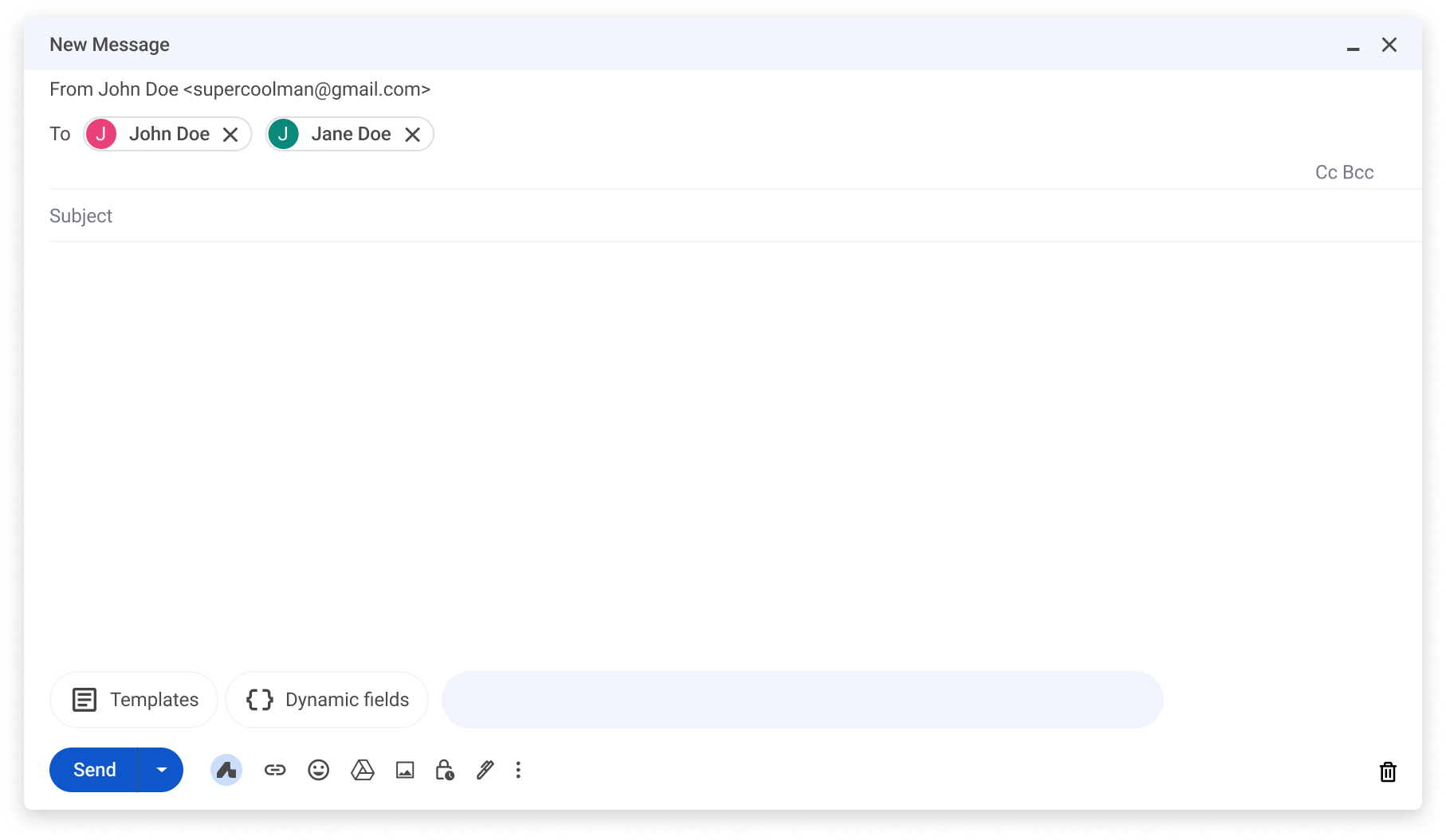
Amplemarket templates and dynamic fields are now available directly inside Gmail and Outlook. When composing emails or sending quick replies, you can access your full template library and insert dynamic fields without leaving your inbox.
Where it works
Gmail
Gmail compose
Gmail reply
Outlook
Requirements
Extension
v5.10.1or aboveDon't have the extension yet? Download it here
Learn more about the Amplemarket extension here
How to use it
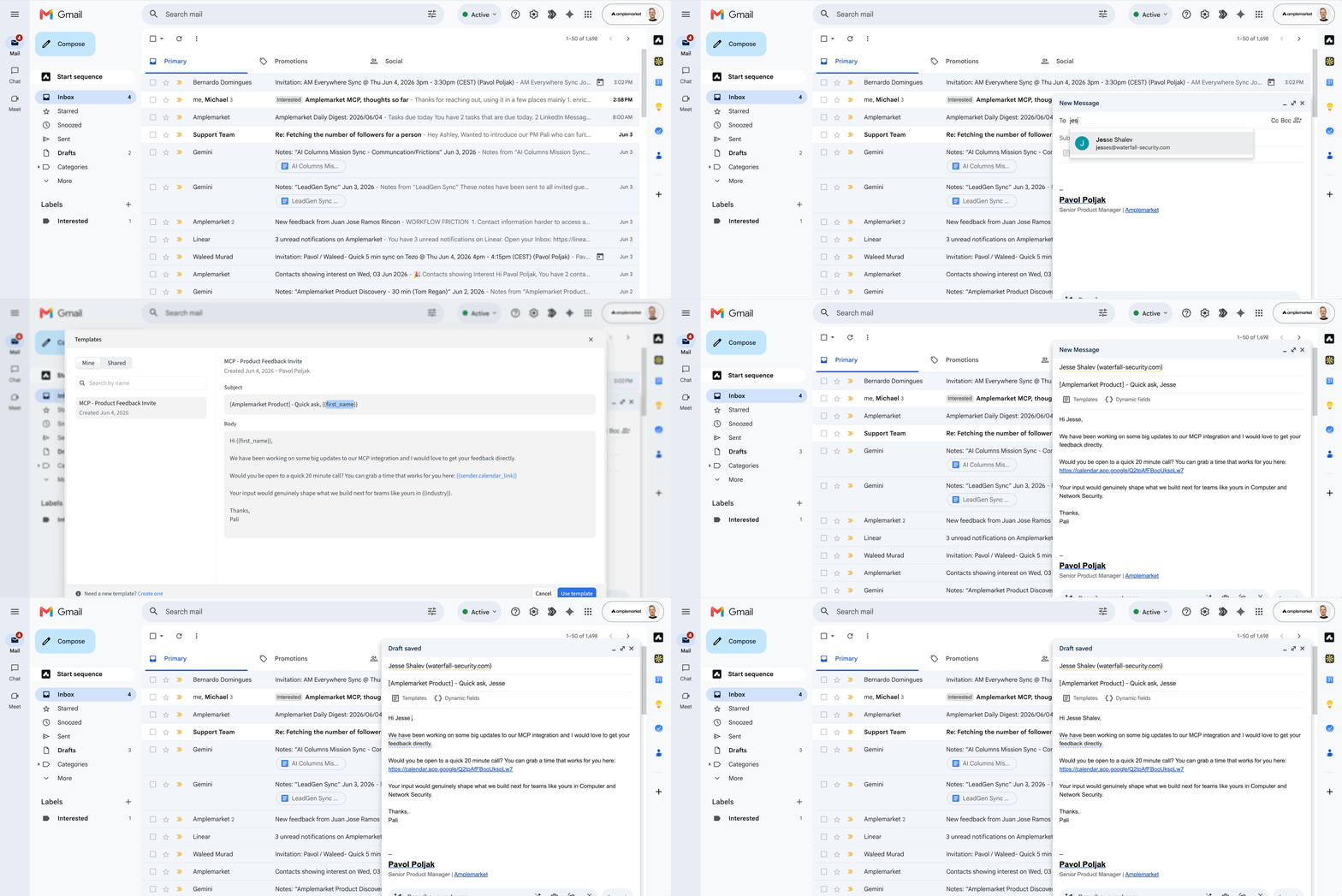
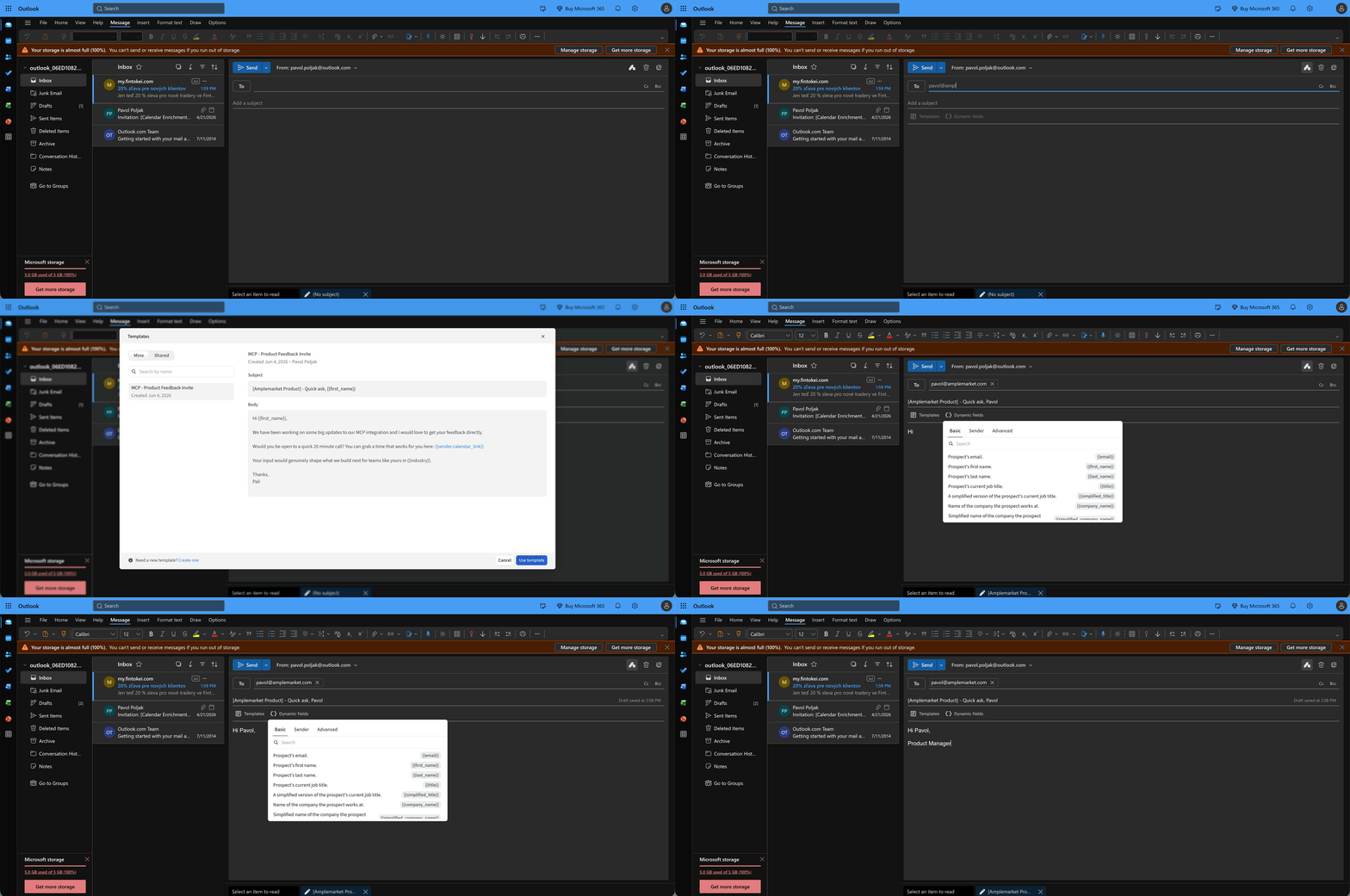
Open any Gmail or Outlook compose or reply window. Click the Amplemarket icon in the toolbar to access your templates and dynamic fields.
Select a template to insert the full subject and body in one click
Use dynamic fields to personalize your message inline
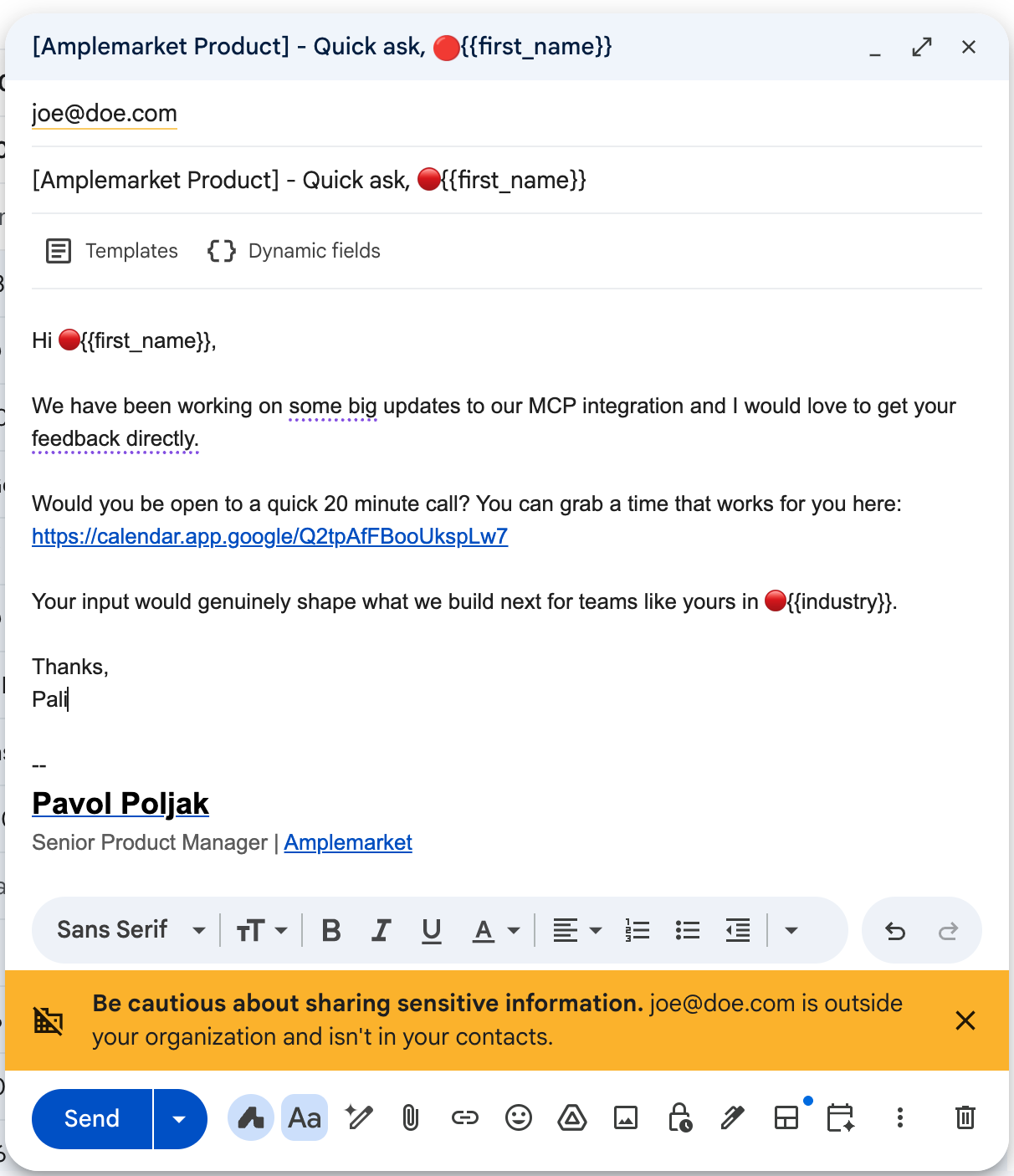
Unresolved dynamic fields are highlighted before you send so nothing slips through
Things to know
If the recipient is not a contact in Amplemarket, dynamic fields will not resolve automatically. Unresolved fields will be highlighted and you will need to fill them in manually before sending
Outlook support is limited to Outlook in the browser via Chrome. The Outlook desktop app is not supported