Conversation Intelligence Integrations: Attention, Fathom & Gong
Last updated: August 31, 2026
Amplemarket integrates with Attention, Fathom, and Gong. Once a tool is connected, the transcripts and AI summaries it captures on your calls become part of each account's context in Amplemarket.
Video: connecting Attention
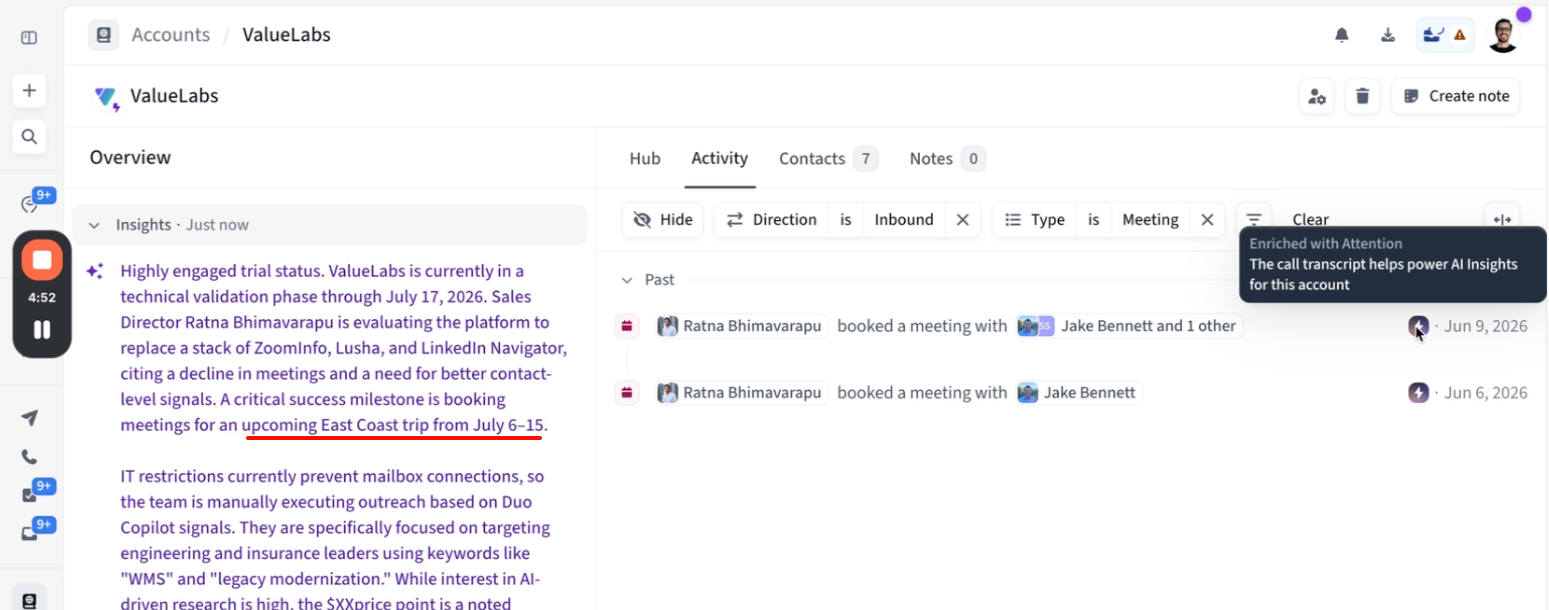
This walkthrough covers connecting the integration and an account whose insights draw on two recorded calls.
What the integration does
Whenever your tool and Amplemarket capture the same meeting, Amplemarket links the two and imports the transcript and AI summary.
The meeting shows the tool's logo in the account's activity feed. Hover over the meeting and click View in Attention (or View in Fathom, View in Gong) to open the recording in your tool.
The account's AI Insights draw on the transcripts alongside replies, notes, and Duo Signals. Details that only came up on calls, like a decision date or an objection, show up in the insights and in pre-meeting briefs.
The integration only enriches meetings Amplemarket already tracks through your team's connected calendars. It never creates meetings or contacts. Meetings held before you connect aren't enriched, and new ones are enriched once your tool finishes processing the recording, usually within 15 minutes.
Connecting a tool
Connecting requires the Manage integrations & API keys permission, which admins have by default (see ).
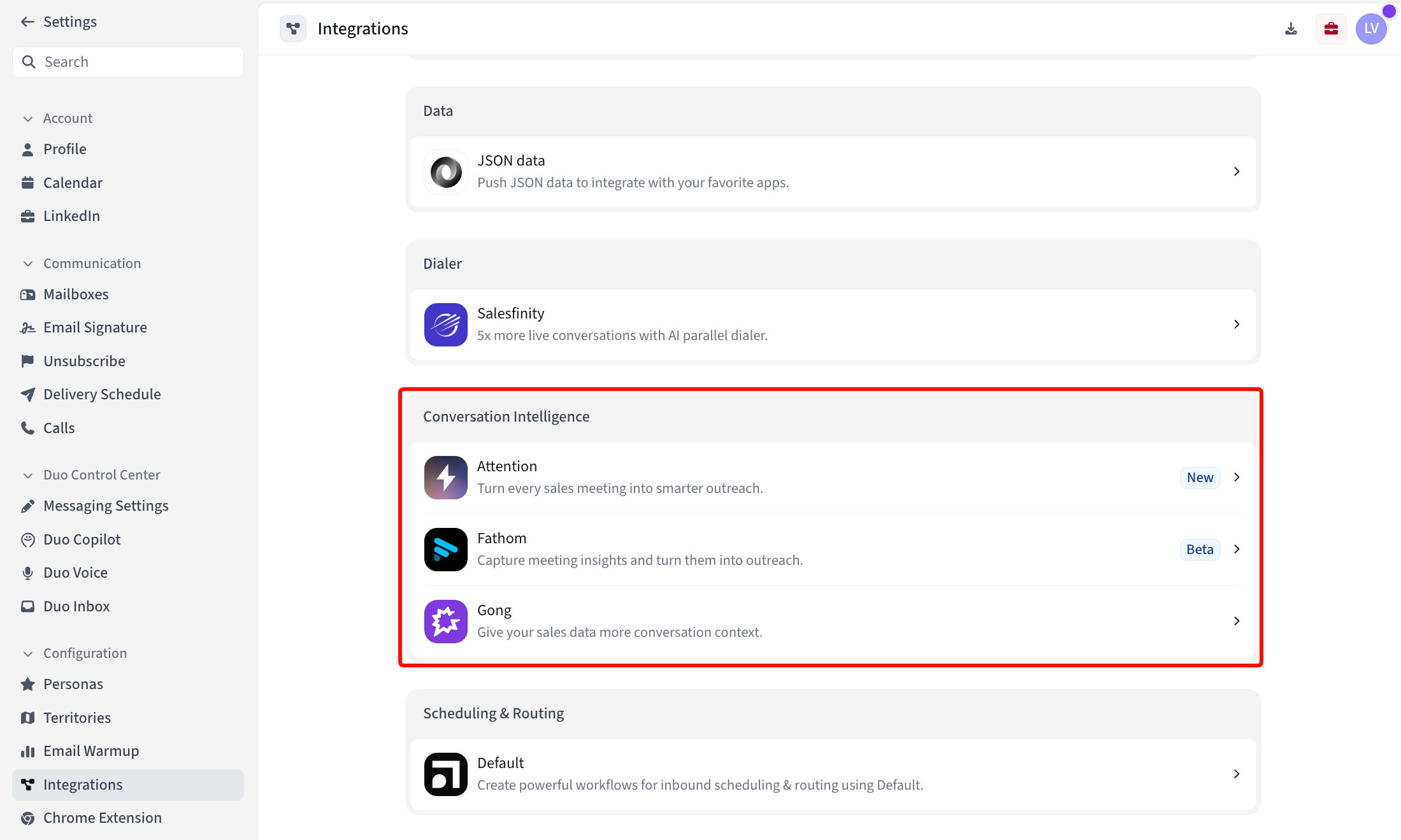
Go to Settings → Integrations and find the Conversation Intelligence section.
Click your tool, then Connect.
Paste your API key, generated in your tool's settings. For Gong, enter the Access key and Secret, both issued in Gong's admin panel.
One connection covers your whole workspace: recordings are matched against every user's connected calendar. Use a key that can see your whole team's recordings; a personal key covers only that user's meetings.
Frequently asked questions
Why isn't a meeting enriched?
Three common causes: the meeting isn't on a calendar connected to Amplemarket, the call happened outside a calendar meeting (a Gong dialer call, for example), or your tool made the recording available several hours after the meeting ended. For the last case, contact support to sync the missed meeting.
Can I read the transcript or summary in Amplemarket?
No. Click View in [tool] on the meeting to read them in your tool.
Can I connect more than one tool?
Yes, one connection per tool. A meeting captured by several tools shows each tool's logo, and View in lets you pick which one to open.
What happens when I disconnect?
Disconnect from the tool's page under Settings → Integrations. Syncing stops; meetings already enriched keep their content, but AI Insights stop drawing on call transcripts once no tool is connected. To fully revoke access, also delete the key in your tool's settings.